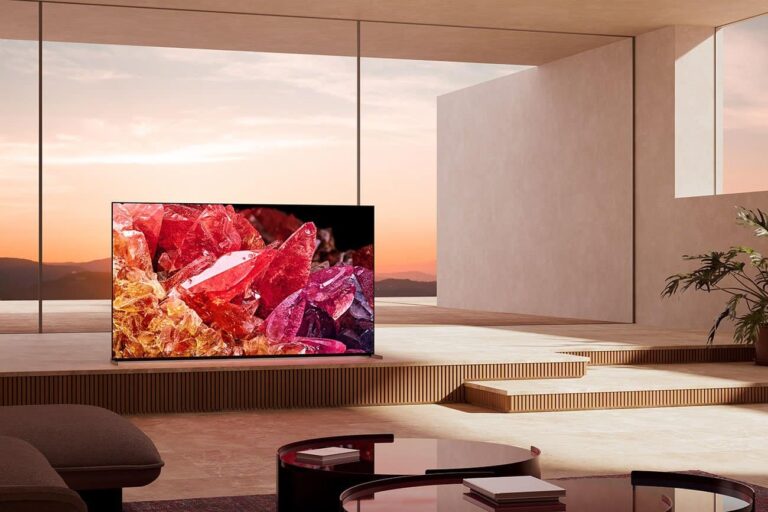
Sony makes some pretty incredible TVs. And it makes sense as to why. Sony is also a movie studio. So of course, they are going to put out some of the best TVs available, so you can watch their movies on the best screens. Having said that, sometimes, Sony’s TVs can be quite expensive compared to the competitors. However, a lot of the time, they are discounted quite a bit. Making it easier than ever to grab a new TV, without emptying your wallet.
When it comes to screen technology, Sony uses three different technologies, for the most part. That includes LED, OLED and Mini-LED. Obviously, LED is going to be the cheapest, with OLED behind that and Mini-LED being the most expensive. That is mostly because it is the newest.
For most people, Sony’s OLED TVs are going to be the best option. That’s because it’s going to give you a really great looking picture here, thanks to OLED being so great with color reproduction, as well as the inky blacks. Mini-LED is actually better than OLED. It basically has all of the same great features as OLED, but it is typically brighter. However, since Mini-LED is so new, it is quite a bit more expensive.
Best Sony TV Deals for May 2023
Sony has some great deals this month, across many different retailers. Including Amazon, Best Buy and Crutchfield. Below, we have rounded up all of the best deals on Sony TVs right now. So you can be sure to get a great deal and save some cash. Which is something we all appreciate.
Sony’s TVs start at about $498 right now, and run into the thousands – some being over $2,500. So there’s loads of options here. And without further ado, here are the best Sony TV deals for this month.
Carl Pei, Nothing’s founder and CEO, has confirmed that a former OnePlus exec will head the Nothing Phone (2) launch. Nothing is allegedly aggressively pouching former OnePlus staff these days, and Kyle Kaing is the latest addition to the team.
The Nothing Phone (2) launch will be handled by a former OnePlus exec
He has joined nothing as VP North America, according to Carl Pei, and “will be heading up the global Phone (2) launch”. As a side note, based on a report from Inverse, 70% of Nothing’s software team worked at OnePlus, and also 30% of its hardware team.
In any case, some of you may recall that the Nothing Phone (1) did not launch in the US. Well, the Nothing Phone (2) will. Nothing confirmed as much a while back, while it also confirmed that the Snapdragon 8+ Gen 1 will be included.
The Nothing Phone (2) will be an even more ambitious project than the Nothing Phone (1). The device is moving closer to the high-end segment, as the Snapdragon 8+ Gen 1 is still an immensely powerful chip.
Nothing started teasing the Phone (2)’s arrival
We still don’t know what will the phone look like exactly. Nothing did release a teaser image for the device, but it did not reveal much. It did, however, confirm that it will, once again, include a see-through backplate.
That was to be expected, of course. That was one of the Nothing Phone (1)’s main selling cards, along with its Glyph lights on the back. The Nothing Phone (2) will try to take that approach to a whole new level.
We’re also expecting improvements in other areas, such as the camera performance. The Nothing Phone (1) had good camera performance, but it’ll have to improve if it wants to compete with the best.
We still don’t know when will the phone launch exactly, but Nothing did confirm it’s coming this summer.
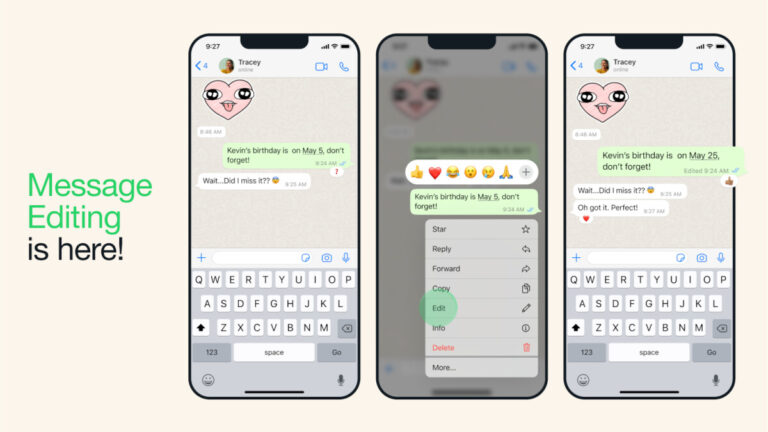
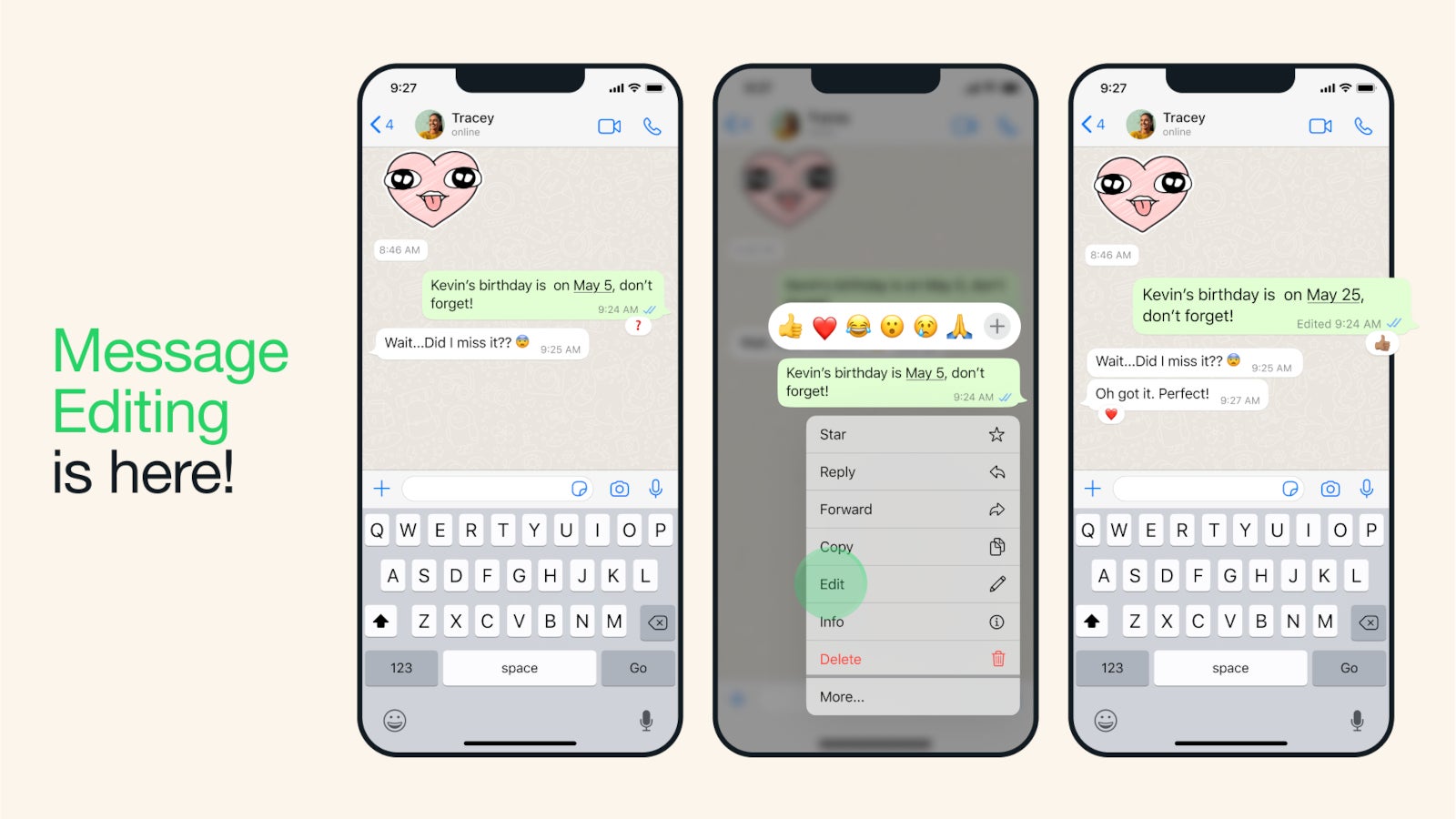
Correcting a misspelling or changing the message completely to provide extra context can now be done via a simple long-press on the sent message. You’ll have to choose the Edit option from the menu, which will only be available for up to 15 minutes.
Despite the fact that it comes with one limitation, more often than not we notice a misspelling or change our mind regarding a WhatsApp message soon after it’s been sent. As expected, all edited messages will display “edited” alongside them, which will allow recipients to see the correction without showing edit history.
According to WhatsApp, all edited messages, just like personal messages, media and calls, are protected by end-to-end encryption. Although the rollout of the new feature has already begun, WhatsApp states that it will be available to everyone “in the coming weeks,” so be patient if you don’t see the option to Edit messages right away.
While it was already announced that Peacock would have an exclusive playoff game this NFL season, now NBCUniversal is announcing that it also has a regular season game that will be exclusive to Peacock.
The regular season game will be the Buffalo Bills versus the Los Angeles Chargers, which will be a primetime matchup on Saturday, December 23. The game will start at 8:30PM and will follow a SNF game on Saturday afternoon between the Cincinnati Bengals and Pittsburgh Steelers on NBC.
The regular season game and playoff exclusive games will be broadcast on NBC stations in the two competing teams cities, and also available on mobile devices using NFL+. Which is a bit odd, since it’s not really “exclusive” to Peacock then.
This is a big move for the NFL
This is pretty big for the NFL, giving two games to a streamer as an exclusive for the first time. Of course, you can be rest assured that NBCUniversal paid handsomely for these two games from the NFL. Let’s just hope that the regular season game does better than the Thursday Night games did on Prime Video last season. It wasn’t so much that Prime Video couldn’t handle it, but that most of the games were pretty terrible.
Peacock will also stream all NBC Sunday Night Football games this season. That includes the playoffs as well as the Football Night in America studio show. So there will be plenty of NFL content on Peacock this year.
If this little experiment with the NFL and NBCUniversal goes well, we could see more games going to streamers exclusively. Now since FOX doesn’t really have a streaming service, the only other options would be CBS’ Paramount+ and ESPN+. Since ESPN does do the Monday Night games. And half of the games for the entire season are on CBS. It’s unclear how many of these games the NFL would want on streaming, since having them on “free” TV channels available OTA means a lot more people watching them.
It comes as no surprise that the launch of ChatGPT and its integration into various Microsoft services has prompted many companies to intensify their efforts in generative AI development. Now, according to a new report from TechCrunch, Apple is ramping up its efforts in artificial intelligence and hiring for 88 new positions, specifically targeting experts in generative AI and machine learning.
This move comes just days after OpenAI finally released an iOS app, and although Apple regularly hires new talent, the fact that the job postings specifically mention “generative AI” means that the company is concerned about the recent advancements in the field.
At present, there are a total of 88 open artificial intelligence jobs at Apple, with over a third of them appearing this month. These openings span various areas, such as Integrated System Experience, Input Experience NLP, Machine Learning R&D, and the Technology Development Group. However, it is important to note that most of these positions are primarily located in San Diego, the Bay Area, and Seattle.
“Are you excited about Generative AI? Are you excited about how the latest advances in this field could transform the way people communicate, create, connect and consume media? Now imagine working to make this vision a reality on beloved mobile platforms used by billions. This is an opportunity to join a dedicated core group in the Intelligent System Experience organization at Apple, a group that will shape the way generative ai technologies transform Apple’s mobile computing platforms,” reads Apple’s job description.
Apple’s endgame
Although Apple’s CEO, Tim Cook, has not provided explicit details about the company’s next-generation AI projects, during the Q2 earnings call earlier this month, he expressed a keen interest in generative artificial intelligence and acknowledged its immense potential. Additionally, he also emphasized that Apple sees AI as a transformative force and will continue investing in related technologies to further enhance its product offerings.
Moreover, with WWDC just around the corner and reports of Apple testing new natural-language features for Siri, it is possible that the company might announce its new ventures into generative AI at the event.
Google has replaced its Nexus smartphone lineup with the Pixel series. This change happened back in 2016, when the first two Google Pixel smartphones arrived. With this change, Google more or less indicated that it’s done making affordable flagship-grade phones aimed at developers and enthusiasts, and that it wants to bring its smartphone creations closer to regular consumers.
This managed to disappoint quite a few people who loved the company’s Nexus line, but they had to make their peace with it, and move on. Since the first two Pixels, Google announced a number of new ones (including some mid-range ones), and we’re here to take a closer look at all of them, basically, as we’re here to take a walk down the memory lane, if you will. Do keep note that new Pixel phones will be added to the list as they arrive, that includes both flagship and non-flagship devices, in this case.
Google Pixel & Pixel XL
Google had announced two smartphones as part of the Google Pixel lineup back in October 2016, the Google Pixel and Pixel XL. These are the first two Pixel smartphones the company ever announced. They offer a considerably different design than any Nexus device the company introduced up to that point. The two phones look identical, but they are different in terms of size.
The Google Pixel and Pixel XL are made out of metal and glass. Most of the back on these two phones is covered by metal, but the upper portion has a glass plate applied to it. Bezels on the two phones are quite thick, even for the time period they were released in, and their design is nothing spectacular, but it did stand out back then. Both phones originally shipped with Android 7.1 Nougat.
These two devices are both fueled by the Snapdragon 821 64-bit quad-core processor, while both of them include 4GB of RAM, and come in 32GB and 128GB storage flavors. Neither of them offers storage expansion, and a 12.3-megapixel camera is included on the back of both devices, and was considered to be amongst the best in the class back then. Both devices are splash and dust resistant, and they include an 8-megapixel front-facing camera.
The Google Pixel features a 5-inch fullHD display, while the Pixel XL has a 5.5-inch QHD panel. Both of those displays offer a 16:9 display aspect ratio, and both utilize AMOLED panels. The Google Pixel includes a 2,770mAh battery, while the Pixel XL packs in a 3,450mAh unit, and both support 18W fast wired charging.
Google Pixel 2 & 2 XL
The Google Pixel 2 and Pixel 2 XL were introduced back in October 2017. These are the company’s second-gen Pixel flagships, and unlike the Pixel and Pixel XL, these two do not look identical. The Pixel 2 comes with considerably thicker bezels than the Pixel 2 XL. That is the main difference between the two phones, in addition to the fact they’re different in size as well.
The design of the back on these two devices is similar to the Pixel and Pixel XL, in all honesty. They both have that glass plate on the back, though it is much smaller this time around. Most of their back side is made out of metal. Both of these phones include stereo speakers, and both have OLED displays, but different OLED panels. The Pixel 2 ships with a regular AMOLED display, while the Pixel 2 XL includes a P-OLED panel.
The Google Pixel 2 features a 5-inch fullHD display, while the Pixel 2 XL comes with a QHD+ display. Both devices are fueled by the Snapdragon 835 64-bit octa-core processor, while both include 4GB of RAM and 64GB / 128GB of non-expandable storage. Android 8.0 Oreo shipped out of the box on these two phones, while both of them include a single 12.2-megapixel camera on the back. The Pixel 2 features a 2,700mAh battery, while the Pixel 2 XL packs in a 3,520mAh unit.
Google Pixel 3 & 3 XL
The Google Pixel 3 and Pixel 3 XL were announced in October 2018, and are Google’s third-gen Pixel flagships. These two phones, much like the Pixel 2 and Pixel 2 XL, do not look identical. They do have identical back sides, reminiscent of the Pixel 2 series back, but the front sides are different. The Pixel 3 does not include a display notch or a hole, but it has noticeable bezels above and below the display. The Pixel 3 XL has a similar bezel below the display, but not at the top. Instead, Google opted to include a rather tall / large notch at the top of the display.
Both of these phones include front-facing stereo speakers, though the Pixel 3’s output is more powerful, due to the more powerful speaker above the display. The Pixel 3 is smaller than the Pixel 3 XL, quite a bit, actually. The Pixel 3 includes a 5.5-inch fullHD+ P-OLED panel, while the Pixel 3 XL rocks a 6.3-inch QHD+ P-OLED display. Both phones are fueled by the Snapdragon 845 64-bit octa-core processor by Qualcomm.
Both the Pixel 3 and Pixel 3 XL include 4GB of RAM and 64GB / 128GB of storage, though it is worth noting that storage is not expandable here either. Android 9 Pie comes out of the box on these two phones, while a 12.2-megapixel camera sits on the back of each of these devices. Two 8-megapixel units are included on the front side of both phones, while both devices are IP68 certified for water and dust resistance.
Google Pixel 3a & 3a XL
In May 2019, Google introduced its very first mid-range Pixel smartphones. As part of this series, the company announced the Pixel 3a and Pixel 3a XL handsets. These two phones look the same, and basically pack the same specs, save for the display and battery sizes. Both devices resemble the Pixel 3 quite a bit, but unlike the Pixel 3, they are made out of polycarbonate.
A regular, capacitive fingerprint scanner sits on the back of these two phones. You will also notice a single camera back there. That is a 12.2-megapixel camera, the same on that the company included in the Pixel 3 and Pixel 3 XL. With this camera, the company basically brought its flagship feature to mid-range devices. That camera is the main selling point of these two phones, along with their price tags.
The Pixel 3a and Pixel 3a XL ship with Android 9 Pie, and both devices are fueled by the Snapdragon 670 64-bit octa-core SoC. Both devices also include 4GB of RAM and 64GB of storage, while an 8-megapixel front-facing camera sits on both phones. The Pixel 3a features a 5.6-inch fullHD+ OLED panel. The Pixel 3a XL comes with a 6-inch fullHD+ OLED display.
Google Pixel 4 & 4 XL
Google announced two Pixel 4 flagships in October 2019, the Pixel 4 and Pixel 4 XL. Those two devices are different in size, but sport the very same design. Both are made out of metal and glass, and were initially launched in three color variants. Google introduced both devices in Just Black, Clearly White, and (limited edition) Oh So Orange variants. Out of all three variants, only the Just Black model has a glossy backplate.
The Google Pixel 4 and Pixel 4 XL are less slippery than most other flagships in the market. At least they were at the time they launched. Both phones have a rather large “forehead”, which host various sensors. Sensors for advanced facial scanning are included. The same goes for a radar chip that enables “Motion Sense”. A front-facing camera is also included, and your regular smartphone sensors. Google did not include a fingerprint scanner on either of these two smartphones.
The Pixel 4 series devices are the first phones in the series to offer two rear-facing cameras. In addition to the main 12.2-megapixel camera, a 16-megapixel telephoto unit is also included. The Snapdragon 855 fuels both the Pixel 4 and Pixel 4 XL, and both phones include 6GB of RAM. Android 10 comes pre-installed on both of these devices, while both offer front-facing stereo speakers.
Google Pixel 4a & 4a 5G
The Google Pixel 4a and 4a 5G were both announced in 2020, but not at the same time. The Pixel 4a arrived in August, while the Pixel 4a 5G dropped a month later than that. These two phones look almost the same. The only difference is in the rear camera housing, as the Pixel 4a 5G has an extra camera on the back. Both phones are made out of polycarbonate, while the Pixel 4a 5G is the largest of the two.
They do look almost identical, but their internals are somewhat different. The Pixel 4a 5G has an ultra-wide camera on the back, unlike the Pixel 4a. It also includes a more powerful processor on the inside, along with 5G connectivity. The phone has a larger display, though the refresh rate is the same, and so is the resolution. Due to its larger size, the Pixel 4a 5G does pack in a larger battery than its sibling. The rest of their specs are pretty much the same.
The Pixel 4a 5G is essentially a cross between the Pixel 4a and the Pixel 5. It actually launched back-to-back with the Pixel 5, though the Pixel 5 is a more prominent smartphone… but also a more expensive one. Both the Pixel 4a and Pixel 4a 5G came with Android 11 out of the box, and both offer stereo speakers, and a rear-facing fingerprint scanner.
Google Pixel 5
The Google Pixel 5 was announced in September 2020, as Google’s best 2020 smartphone. It shares some of its internals with the Pixel 4a 5G, but it does have some advantages. This phone is made out of metal, though it comes with a resin cover on top of it. Its bezels are uniform, which means there’s not pronounced ‘chin’ on this phone. The device has a display camera hole in the top-left corner, like its siblings.
The device is fueled by the Snapdragon 765G SoC, the same chip that fuels the Pixel 4a 5G. It comes with a 6-inch fullHD+ display with a 90Hz refresh rate. The camera setup is the same as on the Pixel 4a 5G, while the device also shipped with Android 11 out of the box. The phone is IP68 certified for water and dust resistance, while its secondary speaker is placed under the display. A rear-facing fingerprint scanner is included on this phone.
Google Pixel 6 & 6 Pro
The Google Pixel 6 and 6 Pro were announced in October 2021. These two phones represented Google’s return to the premium tier smartphone space. They are considerably different than what Google offered a year before, not only when it comes to specs, but design as well. These two phones ushered in Google’s new, bold design, that is easily recognizable.
They are significant for a number of reasons. This was the first time, since 2017, that Google used a different main camera sensor. The ISOCELL GN1 from Samsung ended up being used here, replacing Sony’s aging sensor Google preferred. On top of that, both of these smartphone are equipped with the Google Tensor SoC, Google’s first-ever smartphone processor. As if that’s not enough, they are also the first smartphones from the company to include an in-display fingerprint scanner.
The two phones have high refresh rate displays, a 90Hz and 120Hz on the Pixel 6 and 6 Pro, respectively. Android 12 comes pre-installed on both smartphones, which brought Google’s new ‘Material You’ UI. Both phones support 30W fast wired charging, and 23W wireless charging. Stereo speakers are included, and both phones are water and dust resistant.
Google Pixel 6a
The Google Pixel 6a got announced in May 2022. It was presented during Google I/O 2022, Google’s developers conference. During the show, Google said that the phone won’t become available straight away, but instead scheduled its release for the end of July. That being said, the Pixel 6a ushered in Google’s new design language to the Pixel A series. In other words, it borrowed the Pixel 6 design.
The Pixel 6a has a frame made out of metal, and a 3D thermoformed composite back (plastic). The Google Tensor SoC fuels this smartphone, Google’s very first mobile processor, the same one that fuels the Pixel 6 and 6 Pro. Google also upped the game in the RAM and storage departments. It included LPDDR5 RAM and UFS 3.1 flash storage here, as it did in its flagships. It was using LPDDR4X RAM and UFS 2.1 flash storage before then.
A 12.2-megapixel camera is the main camera on this phone, which is a very well-known sensor for Google. The Pixel 5a 5G, the Pixel 6a’s predecessor, used it, and the same goes for a ton of other Pixel phones since 2017. The Pixel 6 and 6 Pro were the only two since 2017 that didn’t use that camera. Android 12 comes pre-installed on this smartphone, while a 4,410mAh battery sits on the inside. 18W wired charging is supported, while stereo speakers are also a part of the package.
Google Pixel 7 & 7 Pro
The Google Pixel 7 & Pixel 7 Pro got announced in October 2022. These two smartphones do not represent a major change in comparison to the Pixel 6 series. They actually look very similar to their predecessors, with one obvious difference. The Pixel 7 series has a piece of metal covering the rear camera visor, instead of the glass that was used in the Pixel 6 series smartphones.
The Pixel 7 is also a bit smaller than the Pixel 6. Both of these smartphones are fueled by the Tensor G2 SoC, Google’s second-gen Tensor chip. They come with a number of camera improvements, though the camera hardware remained basically the same. The Pixel 7 utilizes a 50-megapixel main camera, in addition to a 12-megapixel ultrawide unit. Both of those cameras are used by the ‘Pro’ model as well, with the addition of a 48-megapixel telephoto camera.
Both devices support wireless charging, and neither includes a charger in the box. Android 13 comes pre-installed on both smartphones. Some new camera features include Macro Focus on the ‘Pro’ model, while both devices offer the ‘Face Unblur’ feature as well. Those are only some of them. These two phones also feature the most recycled materials of any Pixel phone to date.
Google Pixel 7a
The Google Pixel 7a got announced in May 2023, during Google I/O. This is the very first ‘Pixel a’ series smartphone to offer wireless charging, and also the first one to offer a high refresh rate. The phone launched with a 90Hz fullHD+ AMOLED display, and also the most powerful processor Google had to offer at the time, the Tensor G2. That is the same SoC that Google included inside the Pixel 7 and 7 Pro.
The Pixel 7a‘s design is based on the Pixel 7, that much is obvious. Unlike the Pixel 7, however, this handset is smaller thanks to its 6.1-inch display. It does have thicker bezels, however, and it doesn’t include a glass backplate, but a plastic one. Google also employed new cameras in this smartphone, a 64-megapixel main camera, and a 13-megapixel ultrawide one. That was an odd move by the company, as the ‘Pixel a’ series smartphones usually pick up sensors Google used in the past.
Google did not include a charger in the box here, which many consumers got used to at this point. The Pixel 7a launched in four color options (Charcoal, Coral, Sea, and Snow), one of which ended up being exclusive to the Google Store (Coral).
Google Pixel Fold
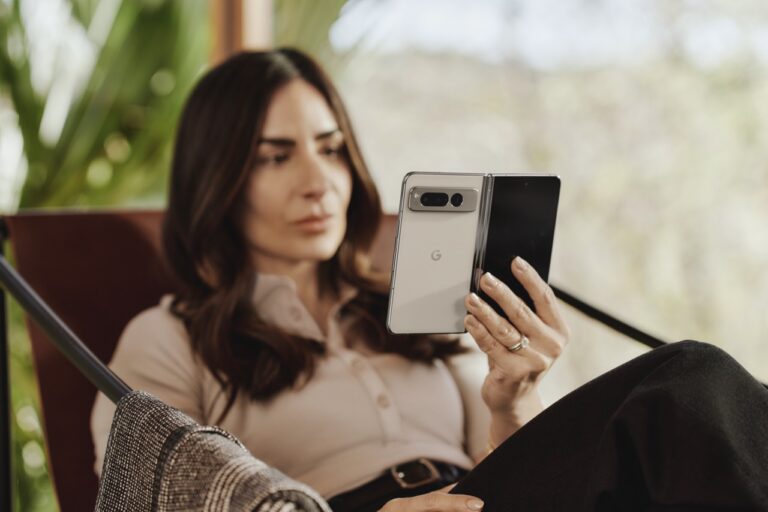
The Pixel Fold is Google’s very first foldable smartphone. It got announced in May 2023, during Google I/O. This is a book-style foldable, but it differs from Samsung’s Galaxy Z Fold lineup quite a bit. It’s a lot shorter overall, and it also leans towards the horizontal layout when unfolded, not the vertical one, like the Galaxy Z Fold phones up to this point. It is rather wide when folded at 79.5mm, but it’s also very short at the same time at 139.7mm.
This handset is quite heavy, it weighs 283 grams, while it utilizes Google’s Tensor G2 processor. There are two 120Hz displays included here, while Google also packed in 12GB of RAM. Google did a great job of making this phone stand out, with its design, it definitely looks like a member of the Pixel family. The Pixel Fold made out of metal and glass, in case you were wondering.
Android 13 came pre-installed on the device, while two models got pushed out, one with 256GB of storage, and the other with 512GB of storage. There are two cameras on the back of the device, and one on each of its displays. Google announced the Obsidian (Black) and Porcelain (White) color variants of the device.
After you’ve been using the same phone for many months, or many years, it can start to feel slow, sluggish and even start to act up. A quick way to fix this is to do a soft reset, or even restoring to factory settings. It’s a pretty simple thing to do, but today we’re going to show you how you can do both.
How to reset your iPhone
Resetting your iPhone is quite easy. It’s basically restarting it, which can often times fix things like apps stalling, and the battery life not being as good.
Press and hold the Sleep/Wake button (also known as the power button), and the Lower volume button.
Now you’ll see a menu that has three sliders. You’ll want to use your finger to slide to power off.
After a minute or so, your iPhone will turn off. Now, to turn it back on, press the Sleep/Wake button until you see the Apple logo.
That’s it. That’s a soft reset of your iPhone.
How to do a force restart
Now if your iPhone is not responding at all, you might need to do a force restart. Here’s how you can do that.
Press and quickly release the Volume Up button.
Press and quickly release the Volume down button.
Press and hold the Sleep/Wake button until you see the Apple Logo.
And that will force your iPhone to restart. That should hopefully solve the issue that caused your phone to freeze.
How to restore to factory settings
This is normally a last resort, but you can also opt to restore your iPhone to factory settings. This will restore it to what it was like, brand new out of the box. We recommend backing up your iPhone first, so that when you go to set it up again, you can set it up from your iCloud backup.
Open the Settings app.
Tap on General.
Scroll down to the bottom and tap on Transfer or Reset iPhone.
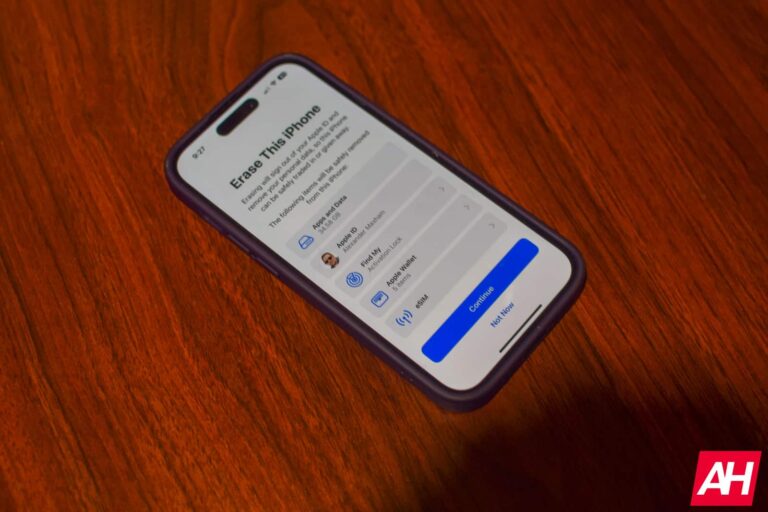
Tap on Erase all Content and Settings.
On this next screen, it’ll show you what will be erased. Including apps and data, your Apple ID, Find My, and more. Tap on Continue.
Next you’ll be asked to put in you passcode to that iPhone, if you have one.
Your iPhone will perform a backup to iCloud. If your phone is set to backup every night when it’s charging, then this likely won’t take long.
Then you’ll need to sign out of your Apple ID.
Now, it’ll start to erase your iPhone and reset it.
Once it restarts, you can start to set it up as a brand new iPhone, whether for yourself or someone else.
And that’s it.
That’s how you can reset, or restore your iPhone to factory settings. Hopefully you won’t need to do this all that often, but this is how it is done.
CISA has issued a recent warning regarding a security flaw that impacts Samsung devices, enabling attackers to circumvent Android’s address space layout randomization (ASLR) protection during targeted attacks.
ASLR serves as a crucial security feature in Android, ensuring that the memory addresses where essential app and operating system components are loaded into the device’s memory undergo randomization.
Introducing this mechanism significantly enhances the complexity for potential attackers attempting to exploit memory-related vulnerabilities, thereby heightening the challenge of executing successful attacks such as buffer overflow, return-oriented programming, or other exploits that rely on manipulating memory.
Samsung mobile devices that are operating on the following versions of Android OS are susceptible to the vulnerability (CVE-2023-21492), which arises from the inadvertent inclusion of sensitive data in log files:-
Android 11
Android 12
Android 13
Local attackers possessing elevated privileges can leverage the disclosed information to carry out an ASLR bypass, consequently facilitating the exploitation of the vulnerabilities in memory management.
Flaw Profile
CVE ID: CVE-2023-21492
Description: Kernel pointers are printed in the log file before SMR May-2023 Release 1 allows a privileged local attacker to bypass ASLR.
Summary: It’s a kernel pointers exposure in a log file
Severity: Moderate
Base Score: 4.4
Reported on: January 17, 2023
Disclosure status: Privately disclosed
As part of the latest security updates, Samsung has effectively resolved this matter by implementing measures that prevent kernel pointers from being logged in future occurrences.
According to the May 2023 Security Maintenance Release (SMR) advisory, Samsung has acknowledged being informed about an exploit targeting this particular issue in the wild.
Although Samsung did not disclose specific information regarding the exploitation of CVE-2023-21492, it is important to note that during highly targeted cyberattacks, security vulnerabilities are frequently exploited within the complicated chain of exploits.
These campaigns employed chains of exploits targeting the following platforms’ vulnerabilities to deploy commercially-driven spyware:-
While apart from this, there are two separate attack campaigns were identified and disclosed by the security analysts at Google’s Threat Analysis Group (TAG) and Amnesty International in March.
Immediately patch by June 9
Following CISA’s recent inclusion of the CVE-2023-21492 vulnerability in its list of Known Exploited Vulnerabilities, U.S. Federal Civilian Executive Branch Agencies (FCEB) have been granted a three-week timeframe until June 9 to fortify their Samsung Android devices against potential attacks exploiting this security flaw.
In accordance with BOD 22-01, federal agencies must patch all flaws added to CISA’s KEV list by the deadline of June 9, 2023.
The cybersecurity agency’s list of bugs exploited in attacks is valuable for U.S. federal agencies and private companies.
Private organizations can significantly reduce their risk of being successfully attacked by prioritizing the remediation of vulnerabilities on this list, along with federal agencies.
Frequent vulnerabilities serve as prime targets for cyber attackers, exposing the federal enterprise to substantial risks.
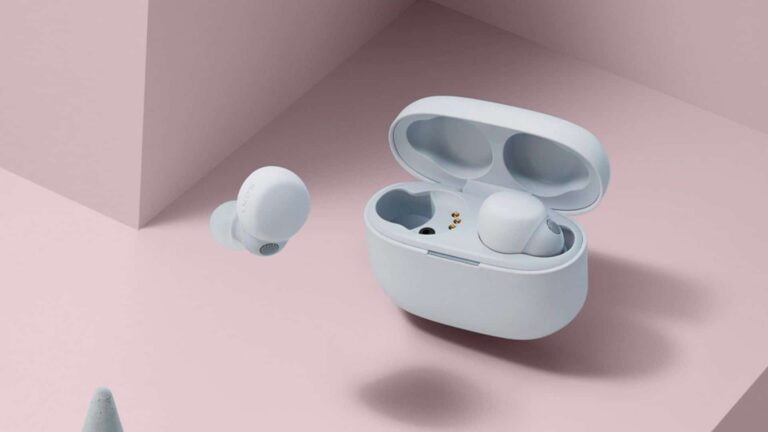
Amazon has the Sony LinkBuds S on sale, coming in at just $148. That’s going to save you $51 off of the regular price. That’s not to bad for these earbuds, not an all-time low, but we likely won’t see that again until June when Prime Day starts again. So now is a good time to pick up a pair.
The Sony LinkBuds S are the newest pair of truly wireless earbuds from the company. They are a cheaper version of the LinkBuds which were actually quite polarizing. With the LinkBuds S, Sony says that you are always connected. They are comfortable enough that you can wear them all day, without wanting to take them out.
Sony has included premium noise cancelling here on the LinkBuds S. So you can tune out your environment and only listen to your music, podcast or take a call.
Speaking of calls, Sony has included really impressive mics on the LinkBuds S. Allowing you to make crystal clear calls, so you can talk even in windy and noisy environments. These are rated at IPX4 for water and sweat resistance. Meaning they can be used for workouts, but don’t take them into the shower or the pool.
Now, when it comes to battery life, the LinkBuds S can last about 6 hours on a charge. That’s about the industry standard at this point. With the included carrying case, you’re looking at 20 hours of battery life. Sony has also included some fast charging. So a 5 minute top up will give you an hour of listening. Great if you forgot to charge your LinkBuds S before going to the gym.
You can pick up the Sony LinkBuds S from Amazon today by clicking the link below. This sale is not going to last long though.
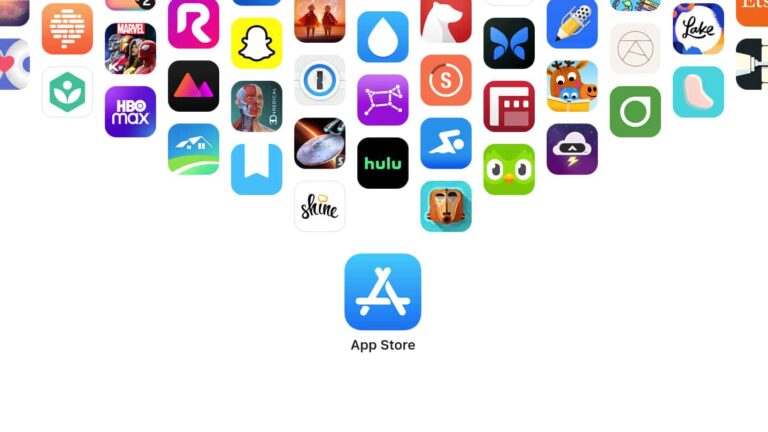
Apple has published its App Store transparency report for the first time ever. In that two-page document, Apple revealed some really interesting information that we’ll talk about here.
Apple has published its very first App Store transparency report
First and foremost, some of you may be wondering how many apps were in the App Store at the end of last year. The answer is… 1,783,232. The company actually rejected almost as many App Store submissions, believe it or not, 1,679,694, to be exact.
Another interesting tidbit is that Apple reviewed 6,101,913 app submissions last year. Do note that these numbers include updates to existing apps, not just new releases, which is why the number is so high.
It’s also worth noting that the company rejected 441,972 submissions based on legal grounds. 186,195 apps got removed from the App Store last year, while the company fielded 1,474 takedown requests.
What about downloads? Well, Apple says that iPhone, iPad, and Mac users downloaded an average of 747,873,877 apps every week. That will seem far less impressive when you hear that they also redownloaded an average of 1,539, 274,266 apps every week.
The company did this as a result of a settlement it reached with developers in 2021
Some of you may be wondering why did Apple do this? Why did the company publish its very first App Store transparency report so late in the game? Well, it’s because of the settlement it reached with App Store developers in 2021.
Back then, Apple promised that it will “share meaningful statistics about the app review process, including the number of apps rejected for different reasons, the number of customer and developer accounts deactivated, objective data regarding search queries and results, and the number of apps removed from the App Store”.
All in all, it’s nice to see more information about the App Store, that’s for sure. It gives us a peek behind Apple’s curtain.