Huawei P60 Pro goes global, but not the vanilla model

0
[ad_1]

Huawei originally announced its Huawei P60 series back in March. The company launched three devices in China, the Huawei P60, P60 Pro, and P60 Art. Out of all three of those devices, only one made it to global markets, the Huawei P60 Pro. That’s what Huawei announced today.

This is basically Huawei’s brand new flagship smartphone. It has a ‘Quad-Curve’ display, which essentially means that it’s curved on all sides. Huawei’s Kunlun Glass panel protects that panel, a panel that proved its worth on the Huawei Mate 50 Pro.

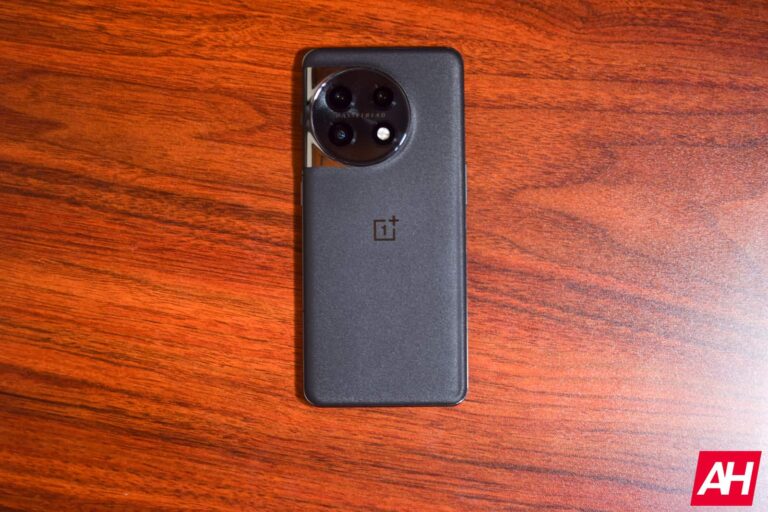
The Huawei P60 Pro reaches global markets with its interesting-looking camera island

On the back, you’ll notice ‘The Eye of Light’ camera module, as Huawei likes to call it. There is a compelling main camera back there, which we’ll talk about soon. In addition to that, ultrawide and telephoto cameras are also included.

The device features a 6.67-inch 2700 x 1220 LTPO AMOLED display. It has an adaptive refresh rate of up to 120Hz, and it goes down to 1Hz. This display is curved, as already mentioned, and has a centered display camera hole.

The Snapdragon 8+ Gen 1 fuels this smartphone, though this is a 4G variant of the chip. YOu won’t be getting 5G connectivity due to the US ban Huawei has to deal with. The phone comes in both 8GB and 12GB RAM variants, with 256GB and 512GB of storage, respectively.

This phone has truly powerful camera hardware, variable aperture included

A 48-megapixel main camera is included here, and Huawei refers to it as an ‘Ultra Lighting Main Camera’. It has an auto-adjustable physical aperture (f/1.4-f/4.0), a high transmittance lens group, and an RYYB SuperSensing sensor. This camera does have OIS support, and PDAF too.

There is a 13-megapixel ultrawide camera on the back of this phone too, and a 48-megapixel telephoto camera. That telephoto camera has an f/2.1 aperture, and supports 3.5x optical zoom. OIS is also supported, the same goes for PDAF. That telephoto camera also acts as a macro camera. A single 13-megapixel camera sits on the front (f/2.4 aperture).

The Huawei P60 Pro supports 88W wired, and 50W wireless charging

The Huawei P60 Pro includes a 4,815mAh battery on the inside. 88W wired Huawei SuperCharge charging is supported, while the phone does support 50W wireless charging too. On top of that, 7.5W reverse wireless charging is on offer as well.

An in-display fingerprint scanner is included (optical), as is Bluetooth 5.2. The phone does offer a set of stereo speakers, and ships with EMUI 13.1. Google services are, of course, not included here. The phone comes with Huawei’s mobile services.

The Huawei P60 Pro will become available in Europe starting from May 9 via Huawei ecommerce. It will also be available from selected retailers starting from May 22. The 8GB RAM model is priced at €1,199, while the 12GB RAM variant costs €1,399. Each model will be available in two colors, Black and Rococo Pearl. Well, except in the UK, where the 8GB RAM model will be available in black only, and the 12GB RAM model available in ‘Rococo Pearl’ color only.


[ad_2]
Source link

Apple might face a $2 billion lawsuit in UK over hiding defective iPhone batteries

0
[ad_1]

Allegations that Apple purposely withheld information on faulty iPhone batteries have led to a potential $2 billion lawsuit in the UK. Consumer advocate Justin Gutmann filed the complaint against Apple, alleging that the company purposefully withheld information concerning the performance of its batteries from users.

The case is based on a similar case in the US when Apple settled for $500 million to end a class-action lawsuit over claims that it had purposefully slowed down older iPhones. In that instance, Apple acknowledged that it had slowed down older iPhones to preserve battery life but asserted that it had done so in the best interests of its users.

However, in the UK case, Gutmann’s lawyers claim Apple has “surreptitiously” installed power management tools on specific iPhone models to conceal their battery issues. Gutmann is now seeking compensation for the millions of UK iPhone customers affected by Apple’s actions.

Apple could face a $2 billion lawsuit over iPhone batteries issues

In response to allegations, Apple said the lawsuit is “baseless,” and there was no issue with iPhone batteries. Of course, the company confessed to iPhone battery issues in a few iPhone 6s models that were solved by free battery replacements. Apple also refers to its apology in 2017 and its offer for battery replacements to impacted customers.

As per the court filing details, Apple’s lawyer David Wolfson argues that “not all batteries could deliver the peak power demanded in all circumstances at all times.”

Additionally, Apple argued that the controversial power management tools only reduced the iPhone 6’s performance by an average of 10%. The tool introduced in 2017 to manage demands in older iPhone batteries with a low charge level.

According to Gutmann’s lawyer Philip Moser, Apple was obligated in 2019 by the UK watchdog to be “clearer and more upfront” with iPhone users in the country.

The potential $2 billion lawsuit is a serious setback for Apple, which has come under fire recently for its commercial tactics. The business has been charged with engaging in anti-competitive activities, evading taxes, and abusing supply chain workers. It is also unknown how the case will turn up. However, it is evident that the claims have harmed Apple’s brand.


[ad_2]
Source link

Hacking Groups Rapidly Weaponizing N-Day Vulnerabilities

0
[ad_1]
Weaponizing N-Day Vulnerabilities

Iranian hacker group ‘Mint Sandstorm’ is retaliating against recent attacks on its infrastructure by targeting critical US infrastructure, as recently discovered by cybersecurity researchers at Microsoft’s Threat Intelligence team.

Linked to the IRGC (Islamic Revolutionary Guard Corps) and believed to be working for the Iranian government, the Phosphorous hacking group now operates under the name ‘Mint Sandstorm.’

While apart from this, in 2022, a subgroup of Mint Sandstorm shifted their focus from surveillance to launching direct attacks on crucial US infrastructure.

These attacks on US infrastructure are believed to be a retaliatory response by Iran, attributing recent attacks on their own infrastructure to the US and Israel.

In June 2021, Iran’s railway system was targeted in a destructive attack, followed by a cyberattack that caused a severe blackout at Iranian gas stations in October of the same year.

Attack Chain

Microsoft believes an increase in cyberattacks is due to the Iranian government’s loosened hold and restrictions on state-sponsored threat actors offering more freedom.

This follows the sanctioning of individuals and entities affiliated with the IRGC by OFAC last year.

The newly identified subgroup of Mint Sandstorm frequently utilizes proof-of-concept exploits and N-day exploits, including known vulnerabilities such as Log4Shell, in their cyberattacks.

The hackers use a custom PowerShell script to gather information on the targeted network before using the Impacket framework to move laterally and choose between two attack chains.

The hackers’ two attack chains include stealing the Windows Active Directory database to obtain credentials for further intrusion and deploying custom backdoor malware to maintain persistence and deploy additional payloads.

Attack Chain

The .NET backdoor malware Drokbk and Soldier fetch a list of command and control server addresses from a GitHub repository controlled by the attacker.

While the former works as an installer, the latter can download extra payloads and remove itself from the system.

Alongside using exploits to breach networks, the attackers also conducted low-volume phishing attacks, including links to OneDrive accounts with spoofed PDFs containing Middle East-related security or policy information, targeting a few victims.

The phishing attacks used malicious PDFs containing links for a Word template that executed a payload on the device through template injection.

The CharmPower PowerShell post-exploitation framework was deployed for persistence and executing additional commands.

The observed capabilities in the cyberattacks attributed to the Mint Sandstorm subgroup are alarming, as they allow for concealed C2 communication, system persistence, and a wide range of post-compromise tools, with initial access potentially leading to further behaviors that could compromise the confidentiality, integrity, and availability of a system.

Attack Surface Reduction Rules

Here below, we have mentioned the attack surface reduction rules recommended by Microsoft to prevent the execution of non-compliant executables:-

  • Executable files must meet a prevalence, age, or trusted list criterion before they can be executed.
  • Disallow the creation of executable content by Office applications.
  • PSExec and WMI-based process creation should be blocked.

Since the vulnerabilities are a primary means of entry into corporate networks for these threat actors.

Struggling to Apply The Security Patch in Your System? – 
Try All-in-One Patch Manager Plus


[ad_2]
Source link

Samsung launches Diesel-branded Galaxy S23 cases

0
[ad_1]

Samsung has launched new limited edition protective cases for the Galaxy S23 series. It collaborated with the iconic Italian fashion brand Diesel for these cases. The new accessories are currently available in Italy, Malaysia, and a few other counties. The company may release them in more markets in the coming days.

Samsung collaborates with Diesel to launch limited edition Galaxy S23 cases

The Galaxy S23, Galaxy S23+, and Galaxy S23 Ultra are getting three new accessories. Firstly, we have a standard black cover made of elastic TPU-type silicone. Samsung promises an “ultra-shock resistant” solution with raised edges to protect the screen. It features the iconic Diesel logo in a white accent, along with the company’s tagline “for successful living”. The Korean firm says that the text is “printed with an exclusive rubberized effect.”

Next, Samsung is offering a Diesel-branded swappable backplate that you can use with its existing Frame Cover. It is a red plate with the Italian brand’s logo and tagline in white. The backplate is only available for the Galaxy S23 Ultra, though. Lastly, Samsung has launched a Diesel-branded strap that you can use with the Silicone Grip Cover for the Galaxy S23, Galaxy S23+, and Galaxy S23 Ultra. It “helps reduce the risk of accidental drops,” the company explains.

Samsung launched these new accessories in partnership with Diesel at an exclusive event in Milan. “By combining the innovative design of the Galaxy S23 series with the iconic Diesel logo, it is possible to fully express one’s personality, with a strong sense of authenticity and irreverence,” said Paolo Bagnoli, Head of Marketing and Retail at Samsung’s mobile division for the Italian market, in an official press release.

Samsung galaxy S23 Diesel case 1

Price and availability

Samsung announced these Diesel-branded limited edition cases for the Galaxy S23, Galaxy S23+, and Galaxy S23 Ultra through a newsroom post in Italy. The company has priced the standard black cover at €34.90 in the country. The Ultra-exclusive swappable backplate costs €23.90, while the strap is priced at €29.90. If you want to buy the Frame Cover or the Silicon Grip Cover, both come with a price tag of €54.90.

These limited-edition accessories are available in Italy through Samsung’s online portal. You may also find the black cover in some retail outlets in select cities, though. As said earlier, the company has also released these Dies-branded cases for the Galaxy S23 series in Malaysia. However, it hasn’t revealed the pricing and availability details in the country yet. If you’re interested in these accessories, you may check their availability in your region at Samsung.com.

Samsung galaxy S23 Diesel case 2


[ad_2]
Source link

5G set to revolutionize advertisement in tech and gaming industries

0
[ad_1]

Since the invention of the internet, the world has witnessed five generations of impressive wireless cellular technology, each providing outstanding connection services comparable to the times. In 2009, 4G technology was launched, with Norway being the first to introduce the cellular tech for commercial use.

The onset of 4G was accompanied by other super innovations like HD streaming, virtual and augmented reality as well as artificial intelligence. So, there’s no gainsaying that emerging tech and online gaming were one of the biggest beneficiaries of hi-speed cellular technology. Gamers were able to compete with other players in real time in 4K video clarity while other tech endeavors like blockchain, smart devices and voice technology surged in operations.

Today, we now have 5G technology, representing the fifth generation of cellular connectivity. Plans for 5G started as far back as 2019, with South Korea leading the charge for the fastest internet speed ever known to humanity. According to projections, 5G offers lower latency and better bandwidth size, making it at least 20 times faster than 4G.

Dissecting the Future of Gaming and Emerging Tech with the Introduction of 5G

Not only will the introduction of 5G bring high speed load times, but it will also revolutionize and the emerging tech industry in ways than we ever imagined. Since 5G will transmit more data in record time and with greater reliability, online gamers will experience smooth virtual reality and 4K streaming levels on gaming products.

With AR/VR and 4K streaming comes a highly immersive gaming experience that was previously unattainable with 4G and 3G connection speeds. 5G promises download speeds running into 20 gigabytes per second, cutting the time spent on downloading patches and updates by more than 70%.

In addition, this means there is little to no buffering on multiplayers games and all action is caught in real-time, thanks to hi-speed internet. Game producers will also be poised to undertake new business models like cloud gaming and subscription services. Instead of download games to their PC or smartphones and taking up storage space, players can simply access them on the cloud or through subscription networks.

Fortunately, the online gaming industry is not the only beneficiary as other areas of emerging tech are already looking to take advantage of the immense benefits that 5G provides. One of such areas is the Internet of Things (IoT).

This area of tech deals with the interconnectivity of physical devices, a phenomenon that started with 4G cellular networks. Better connection speed means that individuals using interconnected devices can transmit data faster and more securely. The use case cut across multiple subindustries like software creation, smart wearables, and home appliances.

5G will also complement efforts aimed at improving the operations of robots and autonomous vehicles. These innovations are largely data-driven and require massive speed for communication with network hosts. With 5G, the infrastructure is better equipped for heavy functioning and a broad reach.

How Will 5G Change the Face of Advertisement Across Industries?

It is expected that the advent of 5G will also draw more advertisers to collaborate with efforts ongoing in the online gaming and emerging tech space. 5G provides invaluable potential for stakeholders in the advertisement industry to leverage. Most importantly, 5G will help herald interactive ads, especially through augmented and virtual reality.

What’s more? Tracking ads is quite difficult with slow internet connectivity, a problem that the launch of 5G now solves. Advertisers can monitor the progress of their ads and collect data as soon as it is available. Real-time tracking is possible, allowing stakeholders tweak their approach and generally save time and money.

Experience also shows that during launch, newer cellular technology is exclusive while older generations become available for all. This phenomenon can be a positive for advertisers if properly exploited. With 4G LTE/5G hybrid technology making its way to more rural communities, advertisers will be able expand their base and reach potential customers in rural areas, developing products until 5G infrastructure is rolled out to those remote locations.

Finally, 5G will help advertisers in the gaming and emerging tech sectors to deliver personalized products more efficiently than ever before. 5G networks transfer and analyze playing data from gamers, usage history, playing times and associated information to recommend more accurate and relevant products to consumers.

In the coming years, we can expect games to switch from mobile, PC or consoles to pure VR and AR-based gaming technologies. Advertisers can leverage 5G networks to push alternative reality product demos and immersive AI experiences that will make ads more appealing or realistic to people.


[ad_2]
Source link

Apple co-founder Wozniak fears that AI will be used to rip off the public

0
[ad_1]
Apple co-founder Steve Wozniak, affectionately known as “The Woz,” says that artificial intelligence could make it harder to spot scams. Wozniak says that content created by AI should clearly be labeled as such and that regulation is needed or else bad actors will take control of the technology. Wozniak was talking to the BBC about this issue two months after he and other tech leaders, including Elon Musk, signed an open letter asking for a slowdown in the development of powerful AI models.
Speaking to BBC Technology Editor Zoe Kleinman, Wozniak said, “AI is so intelligent it’s open to the bad players, the ones that want to trick you about who they are.” While The Woz thinks that the lack of emotion will prevent AI from replacing humans in the workforce, he fears that it will make bad actors seem more convincing when they are trying to scam the public. That’s because conversational AI chatbots like ChatGPT can create text that sounds convincing to the layman.
As a result, Wozniak says that those who publish text written by AI have the responsibility to label it as AI-generated. “A human really has to take the responsibility for what is generated by AI,” Wozniak says. He wants regulation to hold big tech firms accountable. The Woz didn’t mention any particular firm but said that these are the tech companies that “feel they can kind of get away with anything.”
Not that Wozniak was specifically talking about the company he helped create, but Apple CEO Tim Cook said to investors during a conference call last week that when it comes to AI, Apple would be “”deliberate and thoughtful. Cook added that “We view AI as huge, and we’ll continue weaving it in our products on a very thoughtful basis.”

The Woz was not optimistic that regulators will be able to oversee the use of artificial intelligence. “I think the forces that drive for money usually win out, which is sort of sad,” he said. While he doesn’t believe that the development of AI can be stopped, he thinks that people can be educated to help them find situations where their personal data is at risk due to fraud.


[ad_2]
Source link

The rise of “Franken-ransomware,” with Allan Liska: Lock and Code S04E11

0
[ad_1]

This week on Lock and Code, we speak with Allan Liska about a new trend in ransomware delivery and development, and why it presents new challenges to organizations and law enforcement investigators.

Ransomware is becoming bespoke, and that could mean trouble for businesses and law enforcement investigators. 

It wasn’t always like this. 

For a few years now, ransomware operators have congregated around a relatively new model of crime called “Ransomware-as-a-Service.” In the Ransomware-as-a-Service model, or RaaS model, ransomware itself is not delivered to victims by the same criminals that make the ransomware. Instead, it is used almost “on loan” by criminal groups called “affiliates” who carry out attacks with the ransomware and, if successful, pay a share of their ill-gotten gains back to the ransomware’s creators.

This model allows ransomware developers to significantly increase their reach and their illegal hauls. By essentially leasing out their malicious code to smaller groups of cybercriminals around the world, the ransomware developers can carry out more attacks, steal more money from victims, and avoid any isolated law enforcement action that would put their business in the ground, as the arrest of one affiliate group won’t stop the work of dozens of others. 

And not only do ransomware developers lean on other cybercriminals to carry out attacks, they also rely on an entire network of criminals to carry out smaller, specialized tasks. There are “Initial Access Brokers” who break into company networks and then sell that illegal method of access online. “You also have coders that you can contract out to,” Liska said. “You have pen testers that you can contract out to. You can contract negotiators if you want. You can contract translators if you want.”

But as Liska explained, as the ransomware “business” spreads out, so do new weak points: disgruntled criminals. 

“This whole underground marketplace that exists to serve ransomware means that your small group can do a lot,” Liska said. “But that also means that you are entrusting the keys to your kingdom to these random contractors that you’re paying in Bitcoin every now and then. And that, for example, is why the LockBit code got leaked—dude didn’t pay his contractor.”

With plenty of leaked code now circulating online, some smaller cybercriminals gangs have taken to making minor alterations and then sending that new variant of ransomware out into the world—no affiliate model needed.  

“Most of what we see is just repurposed code and we see a lot of what I call ‘Franken-ransomware.'” 

Today, on the Lock and Code podcast with host David Ruiz, Liska explains why Franken-ransomware poses unique challenges to future victims, cybersecurity companies, and law enforcement investigators. 

Tune in today.

You can also find us on Apple PodcastsSpotify, and Google Podcasts, plus whatever preferred podcast platform you use.

Show notes and credits:

Intro Music: “Spellbound” by Kevin MacLeod (incompetech.com)
Licensed under Creative Commons: By Attribution 4.0 License
http://creativecommons.org/licenses/by/4.0/
Outro Music: “Good God” by Wowa (unminus.com)


Malwarebytes removes all remnants of ransomware and prevents you from getting reinfected. Want to learn more about how we can help protect your business? Get a free trial below.

TRY NOW


[ad_2]
Source link

Google Bard is now available to Workspace users

0
[ad_1]

When Google first released its AI chatbot Bard to the public, there were a few people left out. People with Google Workspace accounts could not use Bard, which was a bummer. However, according to 9To5Google, the chatbot is now available for workspace accounts.

If you’re still curious about what Google Bard is or what it could do, Android Headlines has several articles to help you out. We have Everything You Need To Know About Google Bard along with Google Bard vs. Bing AI. Also, we have a piece on Why Google Bard and Bing AI Are Not Proper ChatGPT Replacements.

Google Bard is now available for Workspace accounts

If you have a Google Workspace account, you were not able to get in on the fun that was testing out Google Bard. It seemed pretty ironic because Google Bard will definitely target Google Workspace users for its generative AI prowess. It’s a tool that will definitely be able to help speed up workflow which is always great for business.

Now, things have changed. There was an update to the official Google Bard changelog today. It says that people can now add Google Bard to their workspace domains. The changelog didn’t note any specifics about what you’ll be able to do, but that seems like something users will have to find out by giving it a try.

It does say that you can use Bard to “help with work, research, or other business needs when signed into your administrator-enabled Google Workspace account.” Google also explained that the settings for Google Bard in your account will be rolling out in the coming days. But, it will still be under Early Access. This means that Bard is still an experiment. You should still expect issues with the chatbot as it grows to maturity.

Google is still feeling out this new AI-driven age, and its answer to ChatGPT is now being integrated into different services. There is even a rumor that it will be integrated into the pixel home screen. You can read more about that here.


[ad_2]
Source link

Google senior engineer predicts open-source AI will disrupt its dominance

0
[ad_1]

It’s no secret that ever since the launch of ChatGPT and Microsoft’s efforts to integrate the chatbot into its various services, Google, for the first time in decades, has feared its domination. And although Google has also ramped up its efforts in language processing AI, senior engineer Luke Sernau believes that the open-source community could pose a greater threat to the company.

Sernau argues that the open-source community, which includes researchers not affiliated with tech companies, is making faster discoveries and advancements in AI than Google and OpenAI. Additionally, these open-sourced AI models are not only cheaper but also faster, more adaptable to clients’ needs, and more adjustable to different environments than AI models from larger companies.

“People will not pay for a restricted model when free, unrestricted alternatives are comparable in quality. We should consider where our value add really is. Giant models are slowing us down. In the long run, the best models are the ones which can be iterated upon quickly,” recommended Sernau.

Collaboration is key

Sernau concludes that Google’s best hope is to collaborate and learn from what others are doing outside the company. While Google’s models still have an edge, Sernau argues the gap is quickly closing, and the company won’t be able to catch up.

“Open-source models are faster, more customizable, more private, and pound-for-pound more capable. We have no secret sauce. Our best hope is to learn from and collaborate with what others are doing outside Google,” said Sernau.

While Senau’s remarks are concerning, it is important to note that this is not an official company strategy document, but rather an internal document typical at Google, where there is a culture of information sharing and debate among the engineering and tech community. However, it is clear that Google is facing increasing pressure from competitors such as Microsoft, which has already integrated its Bing AI chatbot into many of its Office products, as well as from the open-source community, which is rapidly catching up.


[ad_2]
Source link