The new Waze Customize Your Drive feature makes your driving experience a bit more fun. Well, this will only be true for those that don’t take driving too seriously. These people are not to be mistaken for careless drivers, they just don’t like to have fun while driving.
But if you like some fun while driving, then you will find this new feature very interesting. Waze is now giving users the ability to choose from a selection of presets on how they’d like their experience. With these new presets you can change a ton of things concerning your navigation while using the Waze app.
These kinds of themes are not new to the Waze app, as they have been constant over the past years. Most people have also made use of these customization features to spice up their rides. But what is special about this new Waze Customize Your Drive feature that is rolling out to users of the app?
Everything new with the Waze Customize Your Drive feature
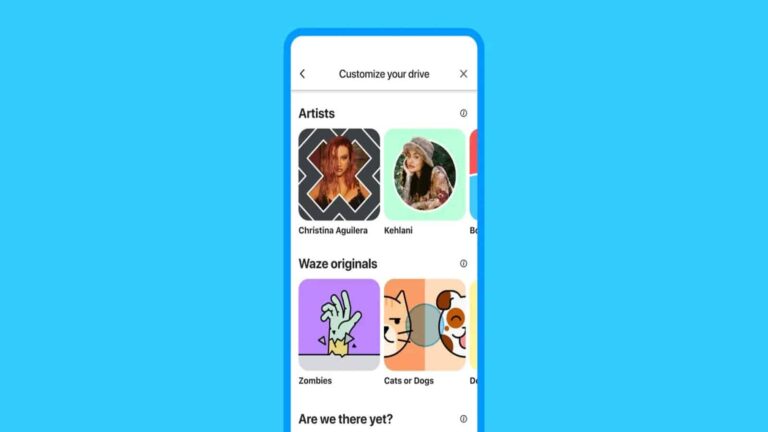
Your Waze app is getting a ton of design choices to help you “customize your drive.” These choices will help improve the aesthetics of the app and keep yourself and those in the car with you a bit entertained. With this feature, you can get voice directions from popular individuals and movie characters.
There are now 12 new content packs available on the Waze app for users to pick from while customizing their drive. These 12 packs are split into 4 categories for easy access when looking for what you need. The categories are Artists (popular musicians), Waze originals (just some Waze creative stuff), are we there yet (movie characters), and Stress-free Commute (to keep you ready for the day ahead).
Another new feature to help you enjoy your ride is the Zodiac pack. This allows you to pick your overall theme by using various Zodiac signs. There are also new Waze moods available for users to try out while using the navigation on a drive.
All these customization features are now available in the Customize Your Drive section of the Waze app. This section can be accessed by tapping on the menu bar. These customization features are currently available to Waze users in the US and might roll out to other regions in the coming months.
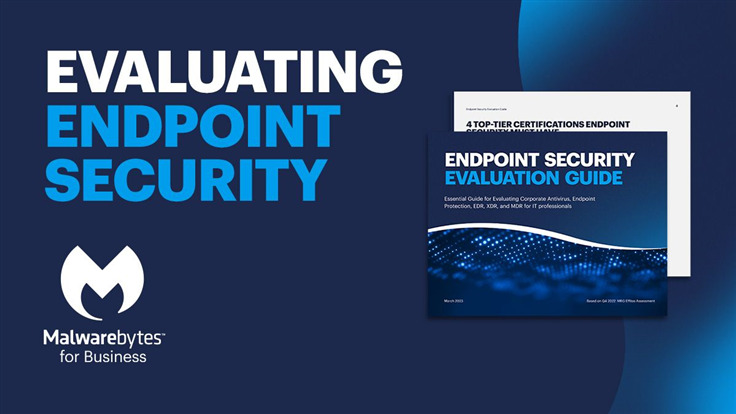
Our “Endpoint Security Evaluation Guide” eBook helps you choose the right endpoint security solution.
Endpoint security has never been more important, and with the increasing complexity of the security stack, choosing the right solution can be confusing. The good news is that there is a guide available to help organizations navigate this complex landscape: the “Endpoint Security Evaluation Guide” eBook.
One of the biggest challenges in selecting an endpoint security solution is ensuring that it can protect against both existing and emerging threats, without negatively impacting system performance or causing too many false positives. This is where MRG Effitas’ independent lab assessment comes in.
Evaluating endpoint security today
MRG Effitas’ 360° Assessment & Certification evaluates endpoint security vendors against nine vital criteria for efficacy, performance, and reliability. These include blocking potentially unwanted applications, preventing exploit and post-exploitation techniques, and blocking in-house ransomware samples. Based on a product’s performance on these criteria, MRG Effitas awards four certifications: 360° Level 1, 360° Exploit, 360° Online Banking, and 360° Ransomware.
Malwarebytes is a well-known name in the endpoint security industry, and it’s no surprise that they were put to the test in MRG Effitas’ 360° Assessment & Certification. The “Endpoint Security Evaluation Guide” eBook features Malwarebytes’ results on the assessment and includes head-to-head matchups of Malwarebytes versus each participating vendor. One shining takeaway is that Malwarebytes was the only vendor to win every certification in 2022.
In today’s complex threat landscape, it is more important than ever to choose an endpoint security solution that can effectively protect against a wide range of threats, while minimizing false positives and system impact. The “Endpoint Security Evaluation Guide” eBook, based on MRG Effitas’ independent lab assessment, is an essential tool for any organization looking to make an informed decision about endpoint security. Download below!
Over 250 suppliers have committed to using renewable energy for all Apple production by 2030, bringing the tech giant closer to an ultimately carbon-neutral supply chain.
In 2021, Apple made a public commitment to being 100 percent carbon neutral across its entire business — including the supply chain and product life cycle — by 2030. With that in mind, the company unveiled a 10-year roadmap showing a series of innovative actions to lower emissions.
Apple provided an update on its effort via a press release earlier today.
According to the Cupertino-based tech giant, over 250 global manufacturing partners are now on a path to decarbonize Apple production by 2030. Furthermore, Apple notes that the suppliers currently support over 13 gigawatts of renewable electricity — a whopping 30 percent increase within a year
“With partners around the world, we’re adding even more renewable energy to power our global supply chain and investing in next-generation green technologies,” says Apple CEO Tim Cook. “The scale of this challenge is immense — but so is our determination to meet it.”
Here’s how.
Achieving a 100 Percent Carbon-Neutral Supply Chain
As part of its carbon-neutrality plan, Apple asked its suppliers to decarbonize Apple’s production and source 100 percent renewable energy. To meet this goal, the tech giant works closely with its manufacturing partners for clean energy and carbon reduction solutions.
These include live training through Apple’s Clean Energy Academy and free learning resources. And it’s working.
According to Apple, over 40 manufacturing partners joined its Supplier Clean Energy Program in the last year. Furthermore, the operational renewable energy across Apple’s global supply chain has expanded five times over to reach 13.7 gigawatts.
As a result, the tech giant managed to avoid roughly 17.4 million metric tons of carbon emissions in 2022. Apple says that’s equivalent to removing nearly 3.8 million cars from the road.
“Our new supplier commitments demonstrate the rapid pace of progress we’re making toward our 2030 carbon neutrality goal,” said Lisa Jackson, Apple’s vice president of Environment, Policy, and Social Initiatives. “We are taking urgent action on a global scale to unlock a greener, more innovative, and more resilient future.”
Read Apple’s press release for more details on the company’s clean energy goal.
Samsung could be looking to justify shipping the Galaxy S23 FE with a two-year-old processor by lowering the asking price. According to the Korean media, the new Fan Edition (FE) model may debut with a price tag of around KRW 800,000 or roughly $600. If true, we are in for a $100 price cut at a time when everything is getting more expensive.
The FE-branded affordable Galaxy flagships could get a price cut this year
Samsung’s FE lineup sits between its flagships and mid-range smartphones. These devices bring the best of Galaxy flagships at an affordable price by removing the premium extras. The Galaxy S20 FE kicked off this journey in late 2020 and was an instant hit. However, a global semiconductor shortage delayed the launch of the Galaxy S21 FE. It arrived in early 2022 and couldn’t replicate the success as Samsung launched the Galaxy S22 series a month later.
This led to rumors that the Korean firm will shelve the FE project altogether. While it didn’t launch a Galaxy S22 FE, the project isn’t dead just yet. Samsung is now working on the Galaxy S23 FE with plans to release it later this year. It has even canceled the Galaxy A74 to make room for the new FE phone. However, to ensure that the device maintains the “affordable flagship” legacy, the company is reportedly planning to equip it with the Exynos 2200 processor.
This is the same processor that powered last year’s Galaxy S22 flagships in Europe and a few other regions. It’s certainly no slouch, but it will be almost two generations old when the Galaxy S23 FE arrives on the market. Samsung skipped the Exynos 2300 and is now expected to introduce the Exynos 2400 around the same time later this year. It appears the company is avoiding buying a newer flagship processor from Qualcomm or MediaTek to keep the cost down. A $600 priced phone with Galaxy S23-grade cameras, RAM, storage, and other key specs would be pretty compelling.
Samsung may also be mulling an Exynos-powered Galaxy S24
The same report from a Korean publication also says that Samsung is considering shipping the Galaxy S24 with the Exynos 2400 processor in some markets. The company reportedly wants to increase the market share of its in-house chipsets. However, there’s little chance of this happening. Most industry experts claim that the Galaxy S24 series will be powered by an overclocked version of Qualcomm’s next-gen Snapdragon 8 Gen 3 globally. This year’s Galaxy S23 flagships use an overclocked Snapdragon 8 Gen 2.
Considering this, we advise you to take this information with a grain of salt. There’s still plenty of time for the Galaxy S23 FE and Galaxy S24 launch. These early reports about their processors and pricing may not be accurate. Things should get clearer over time. We will keep you updated accordingly.
It is no surprise that smart home devices have revolutionized how we live, offering a great sense of convenience and making our lives easier by always being connected to the internet. However, this convenience also makes them a target for hackers as they can exploit vulnerabilities in these devices, potentially compromising our privacy and security. Recently, security researcher Sam Sabetan discovered a security flaw in the Nexx smart garage door openers that could allow hackers to remotely control the device and potentially access the garage.
According to Sabetan, this security flaw is a significant concern for homeowners, as it can compromise the security and privacy of their homes by allowing third parties to control the devices remotely, using an email address, device ID, or first name and last initial. Although the true scope of this issue is still unclear, Sabetan believes that it could potentially impact over 40,000 devices and around 20,000 users.
“Within just an hour, I managed to gain control over garages belonging to any Nexx customer. Intrigued, I delved deeper into Nexx’s Smart Plugs and Alarms and found that there’s a widespread systemic security issue within the entire Nexx ecosystem,” says Sabetan.
Nexx’s response to the vulnerability
Sabetan claims that he reached out to Nexx about the security flaw in January, but the company failed to acknowledge any of his attempts to contact them regarding the vulnerability. As a result, Sabetan took to the internet to demonstrate in a proof-of-concept video, showing that he could control his device as well as over 500 others.
If you are a Nexx user, it is crucial to take immediate action to protect your home. Firstly, disconnect the Nexx smart garage door controller and any other Nexx smart home products you have. Secondly, change your passwords and set up two-factor authentication if you haven’t already. Lastly, keep track of which devices are using the internet and limit access to your Wi-Fi network to only trusted devices.
Law enforcement agencies seized the domains for Genesis Market, one of the world’s biggest marketplaces for cyber fraud. Genesis has been connected to millions of financially driven cyber incidents worldwide, from fraud to ransomware attacks.
Genesis served as a one-stop shop for thieves, selling stolen credentials and the tools to weaponize that data.
The login pages of Genesis Market’s websites have been changed to a splash page announcing the takedown, titled Operation Cookie Monster. Both on the regular web and the dark web, the organization maintained websites.
Accessing the Genesis Market domains reveals a banner stating that the FBI has executed a seizure warrant, even though authorities have not released press statements announcing the seizure.
Given that the FBI is searching for anyone who has contact with them, it appears that the marketplace’s administrators have not been recognized. Keeping a low profile for so long suggests that whoever is behind the Genesis Market has a solid understanding of operational security.
“These seizures were possible because of international law enforcement and private sector coordination,” reads the seizure banner.
“We now want criminals to be afraid that we have their credentials, and they should be.”
Genesis Market – A One-Stop Shop for Login Data
Login information, IP addresses, and other information that served as the victims’ “digital fingerprints” were sold by Genesis Market.
The personal data, frequently less than $1, allowed thieves to access bank and shopping accounts.
Reports say Genesis Market offered hackers access to “bots” or “browser fingerprints, ” enabling them to impersonate victims’ online browsers. These fingerprints included IP addresses, session cookies, operating system details, and plugins.
They generated money by renting out the account identities using bots that had stolen accounts together with the fingerprint information that gave the access the appearance of being authorized.
Genesis Market operators made it simpler for clients by offering browser plug-ins that could import the login information and digital fingerprints of a hijacked account, immediately assuming the digital identity of the actual owner. Buyers may pay less than $10 for access to an account for a specified period, depending on the type of account.
Many services with global user accounts were accessible through Genesis Market. Gmail, Facebook, Netflix, Spotify, WordPress, PayPal, Reddit, Amazon, LinkedIn, Cloudflare, Twitter, Zoom, and eBay were a few among them.
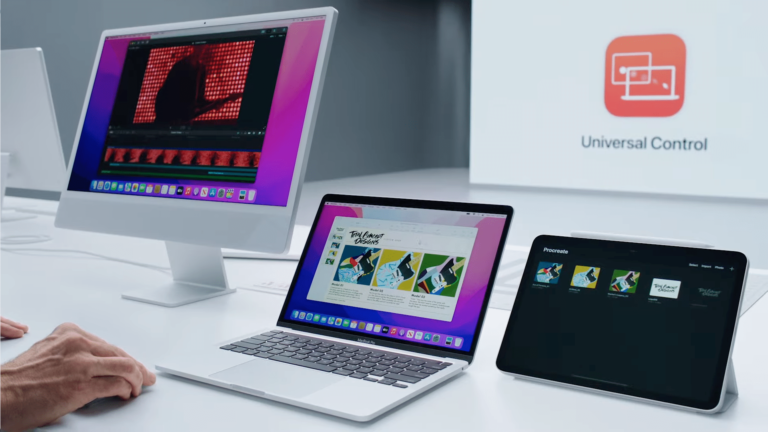
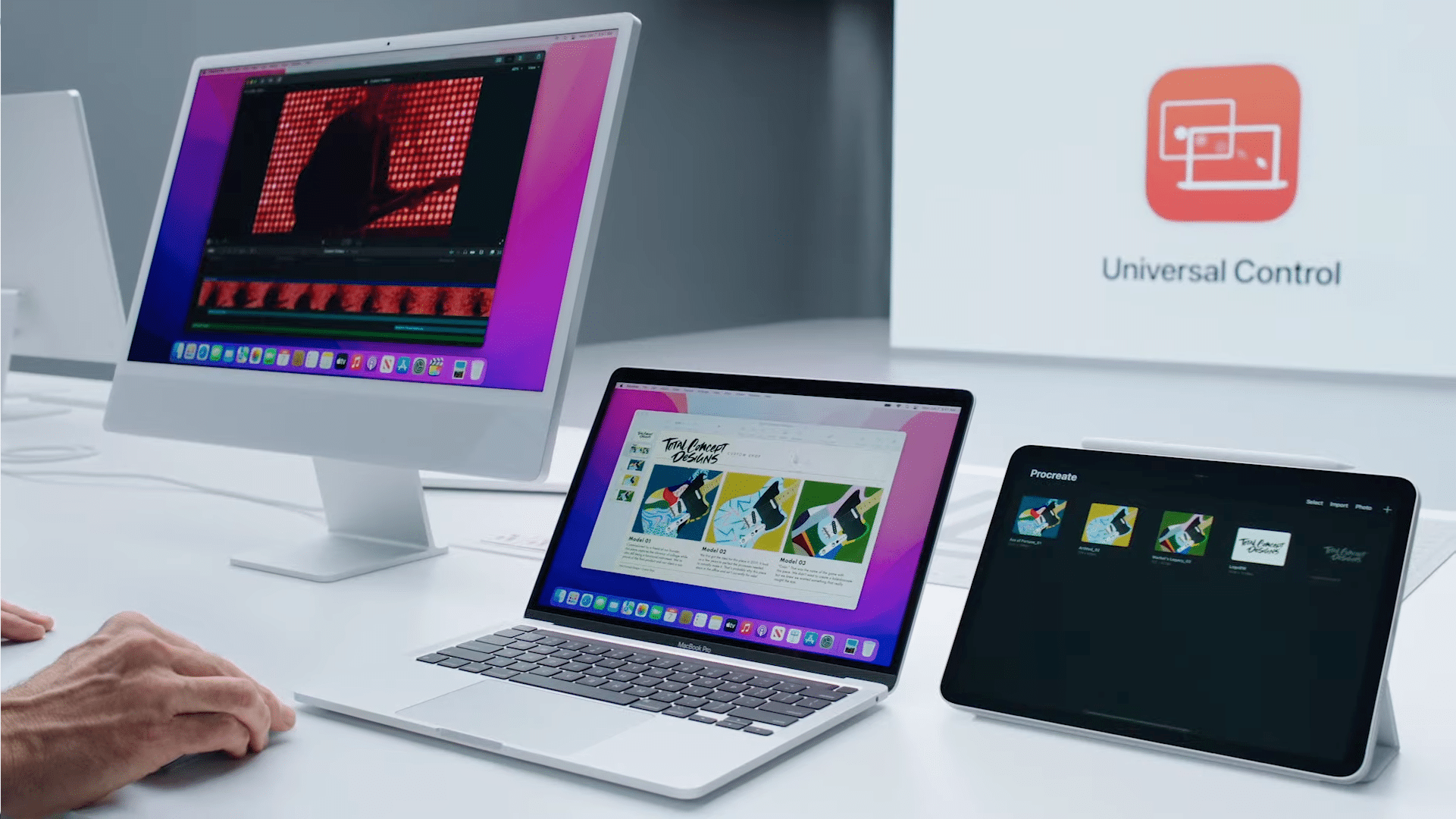
Last week, Apple released macOS 13.3 and iPadOS 16.4 alongside iOS 16.4. Unfortunately, many users who updated their devices to the latest iPadOS and macOS are now experiencing issues with Continuity features.
Ever since the release of the new software updates, people who have updated their devices to the latest version have been reporting issues with many Continuity features, such as Handoff, Universal Clipboard, and Auto Unlock and Approve with Apple Watch. The main Continuity feature affected by the updates appears to be Universal Control.
Many have taken to forums and social media to express their frustration with the lack of functionality after updating. While some have suggested possible solutions, such as signing out of iCloud on both devices, disabling and restarting Handoff, and toggling settings related to Universal Control features, these solutions have only worked for some users.
Apple has not yet commented on the bugs but is likely aware of them. The company is rumored to be preparing to release iOS 16.4.1 for the iPhone, and it may also release iPadOS 16.4.1 and macOS 13.3.1 alongside it to fix the Continuity features bug. These minor updates typically focus on bug fixes and security improvements.
Features such as Handoff and Universal Control features are important for many users who rely on seamless integration between their Apple devices. It is expected that Apple will patch these bugs very soon.
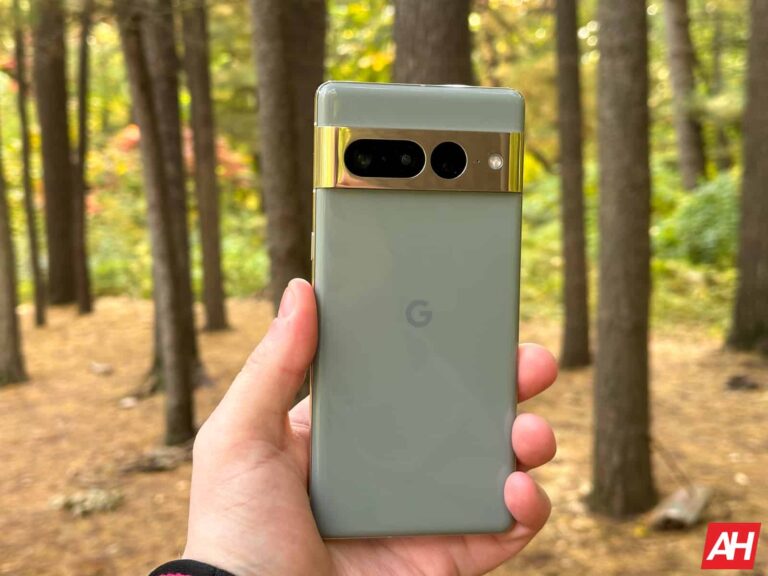
Finally, the Google Pixel 7 Pro is now available, and while it’s mostly the same as the Pixel 6 Pro, it is a bit more refined now. Making a really good $899 smartphone. Especially considering the competitors are priced at $999 or higher. But with that new Pixel 7 Pro, you’re also going to want to grab yourself a few accessories to take full advantage of your new phone. So here we are with the best Google Pixel 7 Pro Accessories.
Best Google Pixel 7 Pro Accessories
As always, this list has a variety of different accessories that you might want to get for your Pixel 7 Pro. From wireless chargers, to smartwatches, to chargers, and even some battery packs. So let’s get started.
The new Anker 735 charger is a really impressive charger to pick up, since it has two USB-C PD ports and a USB-A port available for charging.
Both of the USB-C ports can do up to 65W, while the USB-A port can do 22.5W. However, if you are using multiple ports, the first USB-C port will do up to 40W and the second will do up to 12W. This is a great charger to use if you are traveling or need to charge multiple things.
The Google Pixel Watch is the company’s first smartwatch, and while it works with all Android devices, it will work even better with the Pixel 7 Pro. It does come in WiFi and LTE variants, with the LTE variant costing $50 more. It uses eSIM and can be added to any carrier.
The Pixel Watch is running on Wear OS 3.5, with Fitbit integration. Remember that Google owns Fitbit, so that should come as no surprise. It’s a fairly small watch, coming in at 41mm. And you can check out our full review here.
The PopGrip from PopSockets is a really good accessory for really any phone. And the reason why this is the best PopSocket you can buy right now is because it does allow you to swap out the top. So if you want to change the color, you can do so.
PopGrip is really great because it allows you to hold onto your phone much easier, especially for larger phones, but even works great on smaller ones like the OnePlus 10 Pro. But it also doubles as a sort of kickstand for your smartphone. Allowing you to use it on long flights to watch a movie or two, without having to hold your phone the whole time. It’s a really genius invention, and it’s something that everyone should have.
You can attach the PopGrip to your case, so that it doesn’t ruin your phone too.
The Google Pixel Stand 2 is an expensive wireless charger, a lot like other first-party accessories. But where it has a leg up over the competition is in the charging speed. The Pixel Stand 2 is the only one that can charge your Pixel at the full 23W.
It also has a few other tricks up its sleeve. Since it does sit at an angle, it’s great for having a Google Meet or Zoom meeting while it’s charging. It can also give you quick access to media controls and smart home controls right there on the screen, while it is charging. Nothing major, but definitely useful.
RAVPower Portable Charger 20000mAh PD 3.0 Power Bank
The RAVPower Portable Charger 20000mAh PD 3.0 Power Bank is a really great option for a battery pack for the OnePlus 10 Pro. It offers fast charging, though you likely won’t need that for the OnePlus 10 Pro, since it does offer some really good battery life.
It also uses two USB-A ports with fast charging, so you can charge other devices at the same time. RAVPower also includes two more USB-C ports for input, which is really nice, when you need to charge this battery up pretty quickly.
It’s always a good idea to get another USB-C cable or two, to have around your home. While you probably don’t need one at your office right now, since the majority of us are not actually going to work. It is good to have one in the car and other places around your home.
This is a USB-C to USB-C cable that is capable of USB-C PD speeds, so it can charge your phone pretty quickly too. That’s important in this day and age of fast charging.
The Pixel Buds Pro are the best pair of earbuds to go along with your new Google Pixel 6a. These are also $199, so they are pretty pricey, but worth the price.
Pixel Buds Pro sport about 11 hours of continuous battery life, which is quite impressive, to say the least. Additionally, you can get about 31 hours of usage with the included charging case. Google has also added active noise cancellation and transparency mode here.
The Fitbit Versa 3 is a great fitness tracker to go along with other accessories for your OnePlus 10 Pro. Especially if you’re looking to get in shape this year.
The Versa 3 is the latest in the Versa line for Fitbit. It offers up all of the fitness tracking that you’d expect from Fitbit. Including the ability to track your steps, your workouts, calories burned and much more. It can also deliver some notifications to your wrist.
The Anker PowerPort Atom PD 1 is the perfect USB-C PD charger to use with the Pixel 5. While it does still come with one in the box, it never hurts to have a spare somewhere in your home or at work.
This is a 30W charger – and yes, the OnePlus 10 Pro tops out at 25W (while the S22+ and S22 Ultra do 45W) but this will work on other devices too. It also uses Gallium Nitride or GaN, which makes this charger a lot smaller than you’re probably used too. Which is why we think it is the best option. Since you can easily toss this into your bag when you’re traveling – if we are ever able to do that again.
This is one of the most interesting looking car mounts out there, and it really doesn’t even look like a car mount.
The Spigen Kuel S40 stealth Car Mount is a minimalist car mount for those that don’t want to use magnets. This is a car mount that folds down when it is not in use. Just open it up and stick your phone in the mount, in landscape mode and you are good to go. It’s a good option, because it is fairly small when it is not in use, so that it is not blocking your view of the road all that much.
Spigen offers the Kuel S40 Stealth car mount in only one color. Which is black and blue, so it can blend in with your car a bit more.
The Google Pixel 7 Pro is only able to charge at up to 23W, so the Google USB-C charger is also a great option to pick up. It will charge other things as well. Though, we’d still recommend one of the other chargers on this list, since you will be able to charge more stuff, and at faster speeds (for other devices).
It’s no secret that ever since its launch, ChatGPT has ushered in a new era of artificial intelligence, with many companies now ramping up their efforts to develop something similar. However, as this technology advances, concerns about its safety and potential risks are also growing. In particular, US President Joe Biden has emphasized the need for caution and urged companies to prioritize safety before releasing their AI products to the public.
In a recent meeting with his council of advisors on science and technology, including executives from Google and Microsoft, Biden discussed the potential risks and opportunities that rapid AI advancement poses to the country.
Further stating that while AI has the potential to help solve some of the world’s most difficult challenges, such as climate change, it also presents significant risks to society, the economy, and national security.
“Tech companies have a responsibility, in my view, to make sure their products are safe before making them public,” says President Biden.
Concerns about misinformation
President Biden is particularly concerned that the rise of AI chatbots like ChatGPT and image and video generator AIs like Synthesia can cause an influx of misinformation in the public, as AI-generated content is already indistinguishable from human-created content.
He has called for tech companies to prioritize safety and ensure that their AI products do not harm individuals or society, given the ease with which AI tools can be used to create misleading or false content.
However, it’s worth noting that the US government has no plans to ban AI, unlike what happened in Italy. Instead, the Biden administration aims to develop guidelines and regulations, like the Blueprint for an AI Bill of Rights, that promote responsible AI practices while safeguarding individual rights and freedoms. By working collaboratively with tech companies, policymakers can create a safer and more transparent AI landscape that benefits everyone.
The discovery came after Z2U exposed a cloud database containing 600,000 customers’ records.
Recently, vpnMentor’s cybersecurity researcher Jeremiah Fowler discovered a non-password-protected database that contained over 600,000 customer records. The database was owned by Z2U, a China-based platform.
The data was analysed by Fowler who noticed images of individuals holding their credit cards, passports, or other government-issued identification documents. It indicates a typical case of a company exposing the KYC data of its customers.
In addition to personal information, it contained records of bank transaction payments, user logins, emails and passwords, software license keys, customer support history, and refunds requested due to frozen accounts.
Z2U claims to be a platform that creates a reliable trade environment between gamers. However, the documents seen by Fowler indicate that the company sells everything from aged Facebook and Instagram accounts to access to HBO, Netflix, and Disney+. Even more concerning is that Fowler confirmed seeing documents that reveal Z2U allegedly offers viruses, malware, and other malicious applications through its platform.
A leaked image shows a virus being sold to hack WhatsApp (Image credit: vpnMentor)
While Z2U claims not to sell stolen, hacked, or cracked accounts, it is unclear how the verification process is performed other than buyers requesting refunds when the account is no longer working or suspended.
According to vpnMentor’s report, the database contained records from users worldwide, and access was closed a week after Fowler sent the notice translated into Chinese.
The risks of the data being publicly exposed are significant. The images of individuals holding their identity documents and credit cards with their faces clearly visible were required by Z2U’s verification process and should have never been publicly exposed. This information puts users at significant risk of identity theft and fraudulent charges.
In addition to personally identifiable information and payment information, the images show that a wide range of other accounts or access to paid services were sold on Z2U’s platform, bypassing the validation processes put in place to prevent malicious or fraudulent activity on other social media platforms.
Many refund requests were marked “Seller Refused to Provide Refund.” Buyers who purchase accounts from secondary or potentially illicit marketplaces run the risk of not having their money returned or actually getting access to the account or goods they thought they were purchasing.
Fowler suspects that the records were attachments to and from customer support. He also saw video files where users filmed their screens to show login issues or payment problems. Z2U claims to have over one million positive reviews and even offers an affiliate program, but many mixed reviews exist, both positive and negative, on independent review websites and Reddit.
The database was hosted on a server based in China, and many of the documents and file names were in Chinese. Many of the account login email addresses for sale used Russian email accounts with the.ru domain extension. It is well-known that Russian cybercriminals are actively engaged in identity theft, online scams, and other malicious activities.
In conclusion, the discovery of the Z2U database raises many ethical and security concerns. While the company claims not to sell stolen, hacked, or cracked accounts, the verification process remains unclear, and the refund requests for frozen accounts suggest otherwise. The images of individuals holding their identification documents and credit cards expose them to significant risks of identity theft and fraudulent charges.