Yesterday, we mentioned an issue with the latest Google Maps beta, causing disruptions in Android Auto navigation. Well, Google wasted no time addressing the problem and is now pushing out an update to resolve it.
A fix for Android Auto issues caused by Google Maps beta is rolling out
The tech giant is pushing out a patch labeled as version 11.132.0101 for the Maps beta to Android Auto devices to address the crashes. It may take some time for your device to receive the update, so it might be wise to steer clear of the Google Maps beta for now.
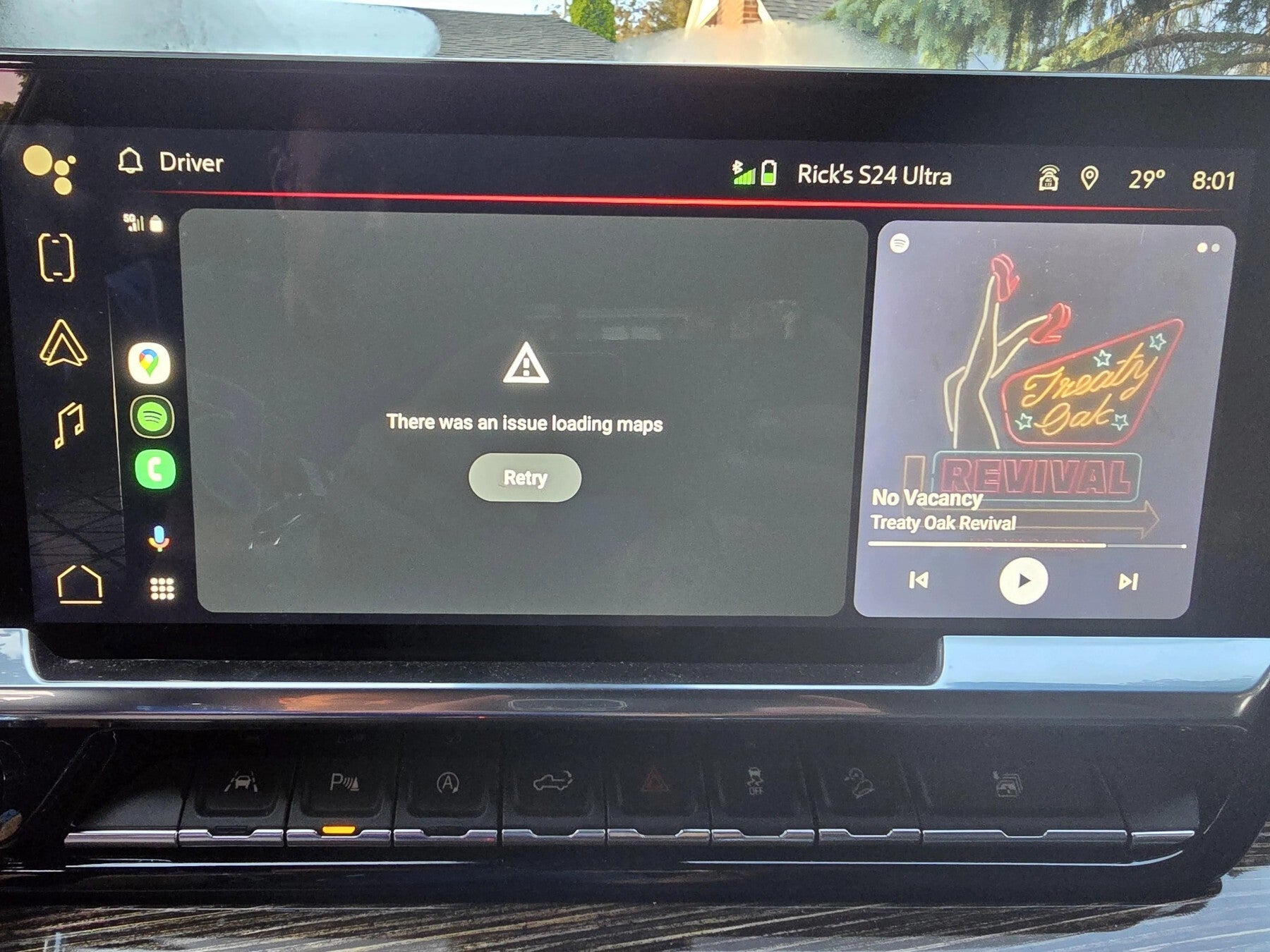
Earlier this week, the company dropped its newest Maps beta, tagged as version 11.132.0100. But soon after installation, users hit the web to complain that the software messed up their Android Auto consoles. While the app runs fine on an Android phone, transferring its content to your car turns into a mess. The problem affects Pixel, Samsung Galaxy, and other Android phones.
Some folks had trouble loading Google Maps on Android Auto | Image Credit – Tiekal/Reddit
But hey, that’s the deal with beta versions. They are still in the works, so it is not surprising if they don’t perform as expected. It’s a risk that all beta users should expect. But the upside is getting to try out cool features before they are officially released, even if it comes with a few bumps along the way.
The North Korean state-sponsored group known as Kimsuky has launched a sophisticated cyber-espionage campaign targeting a prominent weapons manufacturer in Western Europe.
This attack released on LinkedIn, discovered on May 16, 2024, underscores the growing threat state-sponsored cyber actors pose to critical defense infrastructure worldwide.
New Espionage Tools: The Kimsuky group employed novel espionage tools in this campaign, showcasing their evolving capabilities.
Primary Target: The main target of this attack was a Western European weapons manufacturer, highlighting the strategic importance of the defense sector.
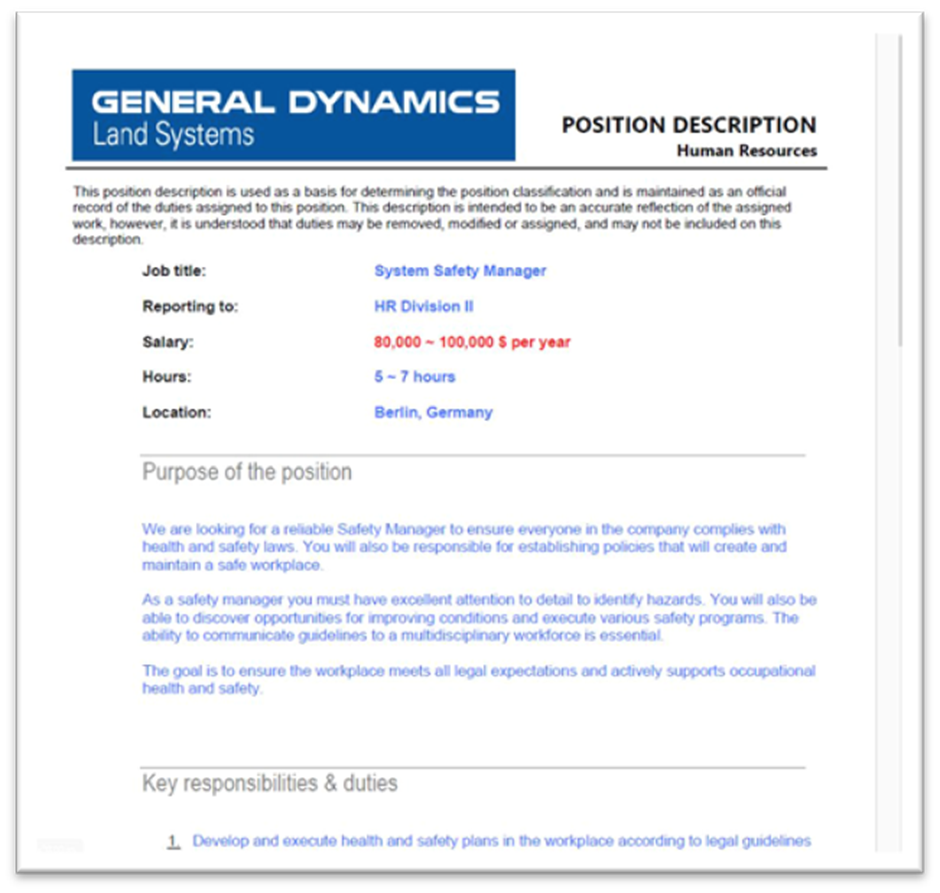
Deceptive Lure: The attackers, a well-known military contractor, used the “General Dynamics” brand as a visual lure to deceive their targets.
Attack Vector
The attack began with a spear-phishing email sent to employees of the targeted organization.
Analyze any MaliciousURL, Files & Emails & Configuration With ANY RUN : Start your Analysis
The email contained a malicious JavaScript file attachment named “Safety Manager JD (General Dynamics HR Division II).jse.”
This filename was designed to appear as a legitimate job description document from General Dynamics.
Execution Flow
Upon opening the malicious file, the JavaScript code decoded two base64 data blocks.
The first block displayed a benign PDF file as a decoy, while the second block contained the malicious payload, executed silently in the background.
The decoy PDF described an open position for a system security manager, further adding to the deception.
The malicious file executed two files on the system: A legitimate PDF to distract the user and an executable library containing the espionage tool.
The executable library, encoded with double base64, included functions for remote execution by the attacker.
This tool was designed to evade detection by encrypting many strings and API function names decrypted at runtime.
To ensure persistence, the program created a new service called “CacheDB” with the start=auto parameter and inscribed itself in the system registry key, ensuring it launched every time it rebooted.
The program used a unique identifier to communicate with the command and control (C2) server, employing a User-Agent string that mimicked a legitimate browser.
The espionage tool provided the attacker with several capabilities, including:
Enumerating directories and files and exfiltrating information to the C2 server.
Retrieving the full path of running processes.
Capturing and exfiltrating screenshots.
Establishing socket connections to specified IP addresses.
Executing additional processes and downloading secondary payloads.
Entering a sleep mode for one hour.
Removing itself from the compromised system, including cleaning up registry entries.
Network Infrastructure
The C2 infrastructure initially called back to hxxp://download.uberlingen[.]com/index.php, resolving to 94.131.120[.]80.
This IP address was associated with multiple domains using illegitimate government naming schemes and was hosted on Stark Industries’ infrastructure.
Another IP address, 103.113.70[.]148, shared similar properties, further linking the infrastructure to Kimsuky.
Research into the network infrastructure revealed significant overlap with known Kimsuky operations, leading to a high-confidence assessment that Kimsuky is behind this campaign.
This attack is part of a broader pattern of North Korean state-sponsored cyber activities targeting the defense sector.
The attack on the Western European weapons manufacturer highlights the escalating risks and potential geopolitical implications of cyber warfare targeting essential military industries.
As the targeted manufacturer plays a crucial role in the defense supply chain, this incident underscores the need for heightened cybersecurity measures in the defense sector.
The Kimsuky group is expected to continue targeting military and aerospace-related entities worldwide, necessitating ongoing vigilance and monitoring.
Indicators of Compromise (IoCs)
The following IoCs were identified in the campaign:
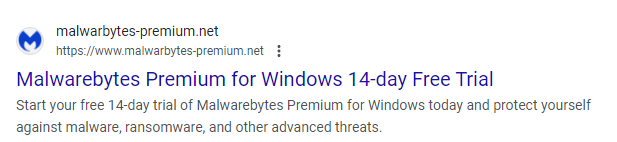
Scammers love to bank on the good name of legitimate companies to gain the trust of their intended targets. Recently, it came to our attention that a cybercriminal is using fake websites for security products to spread malware. One of those websites was impersonating the Malwarebytes brand.
Image courtesy of Trellix
The download from the fake website was an information stealer with a filename that resembled that of the actual Malwarebytes installer.
Besides some common system information, this stealer goes after:
Account tokens
Steam tokens
Saved card details
System profiles
Telegram logins
List of running process names
Installed browser lists and their version
Credentials from the browser “User Data” folder, Local DB an autofill
Some scammers sell—sometimes illegal—copies of Malwarebytes for prices that are boldly exaggerated.
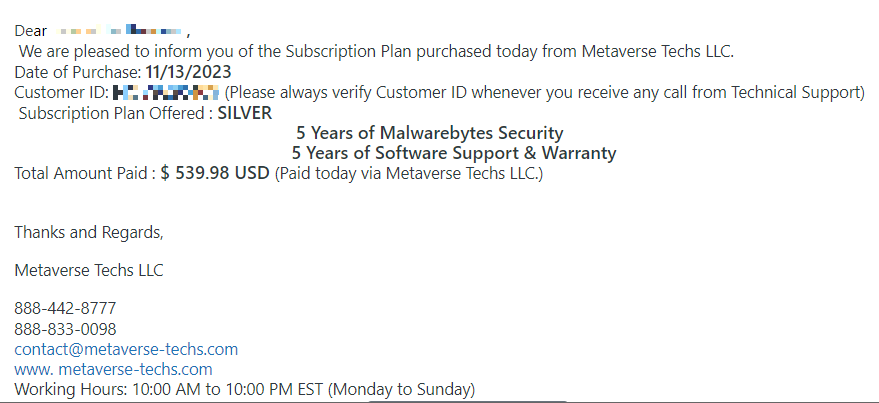
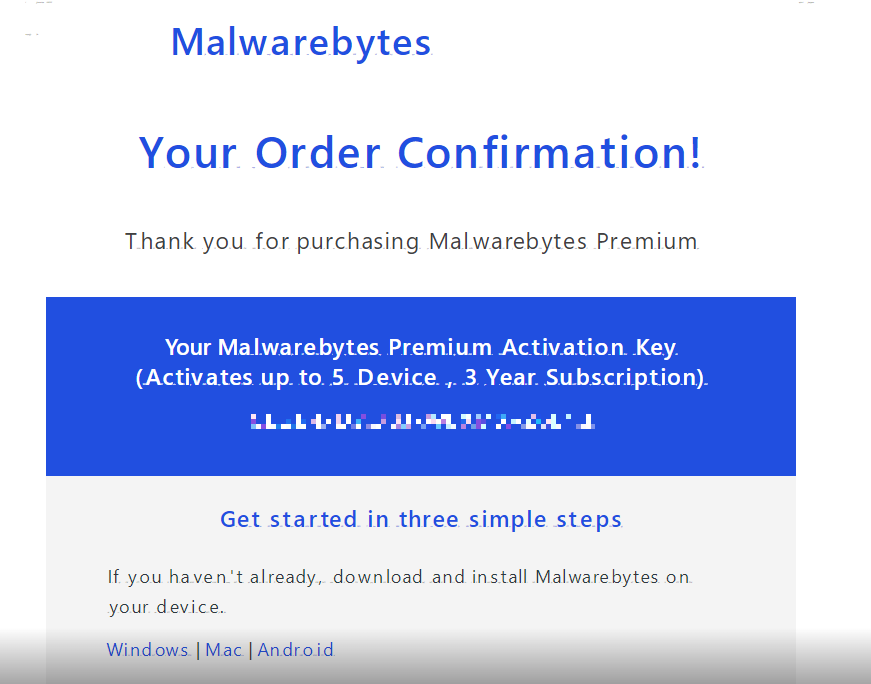
Others will try and phish you by sending you a confirmation mail of your subscription to Malwarebytes.
And sometimes when you search for Malwarebytes you will find imposters in between legitimate re-sellers. Some even use our logo.
In this case, Google warned us that there was danger up ahead.
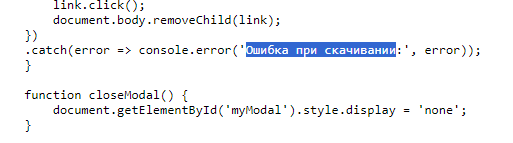
The site itself was not as convincing as the advert, and some poking around in the source code told us the website was likely built by a Russian speaking individual.
How to avoid brand scams
It’s easy to see how people can fall for fake brand notices. Here are some things that can help you avoid scams that use our name:
Download software directly from our sites if you are not sure of the legitimacy of the ones offered to you.
Check that any emails that appear to come from Malwarebytes are sent from a malwarebytes.com address.
If you have any questions or doubts as to the legitimacy of something, you can contact our Support team.
We don’t just report on threats—we remove them
Cybersecurity risks should never spread beyond a headline. Keep threats off your devices by downloading Malwarebytes today.
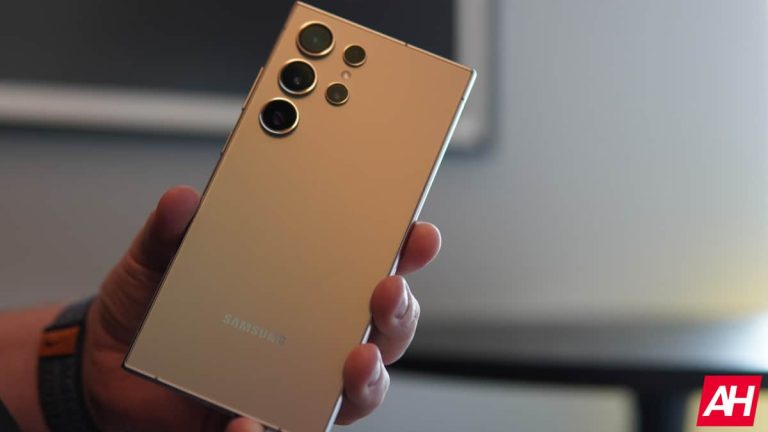
After Samsung announced the Galaxy AI along with the new Galaxy S24 series, the sales rates of its smartphones increased significantly. The Galaxy S series is Samsung’s best-selling Android flagship devices. Earlier this year, the company officially unveiled the Galaxy S24 seriesat the January Unpacked event. Now, we’ve discovered some information that confirms Samsung is officially working on the upcoming Galaxy S25 series. We’ve spotted the Galaxy S25 Ultra in our IMEI database.
Samsung is working on the next flagship Galaxy S25 Ultra
The Galaxy S25 Ultra is in the database with the model number “SM-S938U“. The previous Galaxy S24 Ultra had the model number “SM-S928U”. The “U” in the model number represents the US. For now, we only have this model number. However, we know that the Galaxy S25 Ultra will not be limited to the US market, and it is also available in other regions. This suggests that Samsung is continuing its strategy of expanding its next flagship, the Galaxy S25 series, to international markets.
We don’t have detailed specifications about the Galaxy S25 Ultra. However, we can make some predictions for the Galaxy S25 Ultra based on previous models. Chipset differences varying by region will also exist for the Galaxy S25 series. So, the Galaxy S25 Ultra maybe powered by the Snapdragon 8 Gen 4 chipset for the Galaxy in the US market. In some countries worldwide, Samsung may launch the new Galaxy S25 series with the Exynos 2500 chipset.
Also, according to reports published by Ice Universe, the Galaxy S25 series could come with a significant camera upgrade. The Galaxy S25 Ultra will allegedly feature a quad-camera setup. The camera lineup should be like this: 200 MP main camera, 50 MP Ultra Wide Angle, 50 MP telephoto with 3x optical zoom, and 50 MP super telephoto with 5x optical zoom.
There is no exact information yet about the official launch and pricing of the Galaxy S25 Ultra. However, the Galaxy Unpacked event in 2024 took place on January 17. Next year’s Unpacked event could take place on a similar date. We can say that the Galaxy S25 Ultra will attract great attention and set new standards in the smartphone market. Stay tuned.
The Windows 11 Recall feature has generated a lot of discussion around data privacy since its announcement, but Microsoft defends it. However, the answer offered by a company representative probably will not leave you free of doubt.
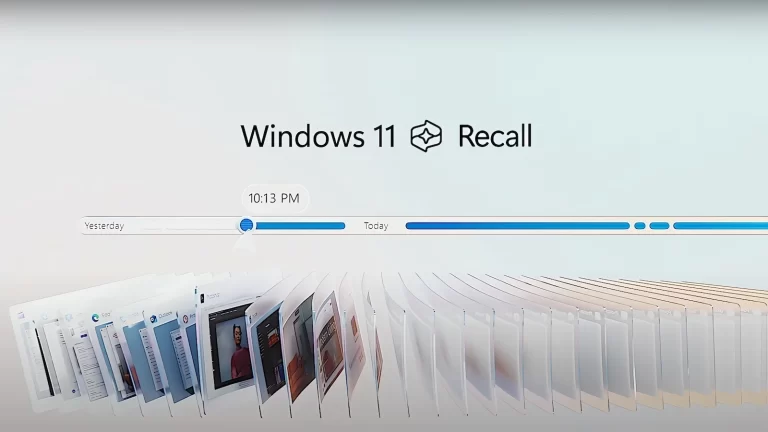
Just in case you don’t know, Recall is one of the new Windows AI features. Basically, it takes snapshots of everything you do on your Copilot+ PC. Thanks to this, you can ask your PC to search for or remind you of specific things. For instance, you can ask questions like: “Where did I see some brown shoes this week?” That said, the fact that your PC graphically records your activity immediately raised alarm bells.
Microsoft tries to defend Recall by evading some questions
Jaime Teevan, chief scientist and technical fellow at Microsoft Research, answered some questions related to Recall to Erik Brynjolfsson, director of the Stanford Digital Economy Laboratory. Brynjolfsson tried to get a concrete answer regarding the potential risks involved in using the feature. On the other hand, Teevan offered a somewhat ambiguous one.
More specifically, Brynjolfsson asked about “the advantages and disadvantages of using all that data and some of the risks that this creates, as well as some of the opportunities.” Given this, Teevan’s response seems a bit evasive. She said: “Yeah, and so it’s a great question, Erik. This has come up throughout the morning as well – the importance of data. And this AI revolution that we’re in right now is really changing the way we understand data.”
Teevan continued the statement, moving to the consumer focus. Regarding this, she said that “as individuals too, we have important data, the data that we interact with all the time, and there’s an opportunity to start thinking about how to do that and to start thinking about what it means to be able to capture and use that. But of course we are rethinking what data means and how we use it, how we value it, how it gets used.”
So, it seems that Teevan avoided the initial focus of the question. This doesn’t help users feel more confident about using Recall. The way in which Microsoft defends it does not seem to be the best. In fact, it’s interesting that her response was evasive considering she was much more direct with another question.
Microsoft emphasizes that Recall stores and processes everything locally
This time, Brynjolfsson addressed the issue of where the snapshots taken by the feature are saved. Microsoft had stated that everything would be processed locally, with nothing uploaded to the cloud. In response to this question, Teevan stated: “Yeah, yeah, so this is a foundational thing that we as a company care a lot about is actually the protection of data. So Recall is a feature which captures information. It’s a local Windows functionality, nothing goes into the cloud, everything’s stored locally.”
So, Teevan seems to be completely confident about local data processing. However, some might find it worrying that the answer to the first question was evasive. Perhaps the company is still studying all the potential risks when using Recall before giving a public response about it. Anyway, the feature rollout is not far away. It is expected to begin on June 18.
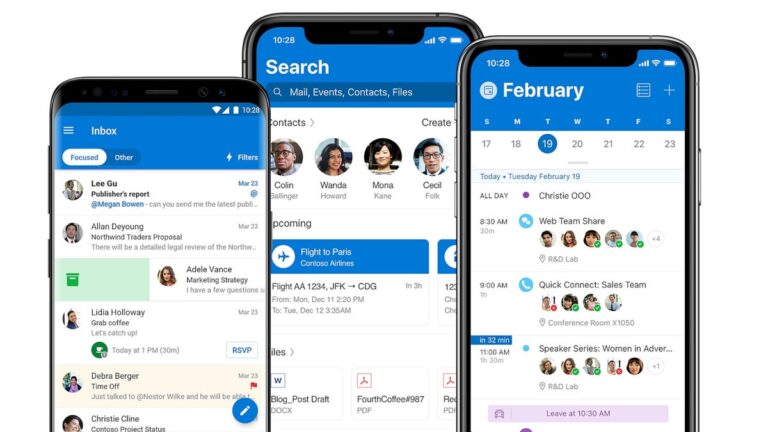
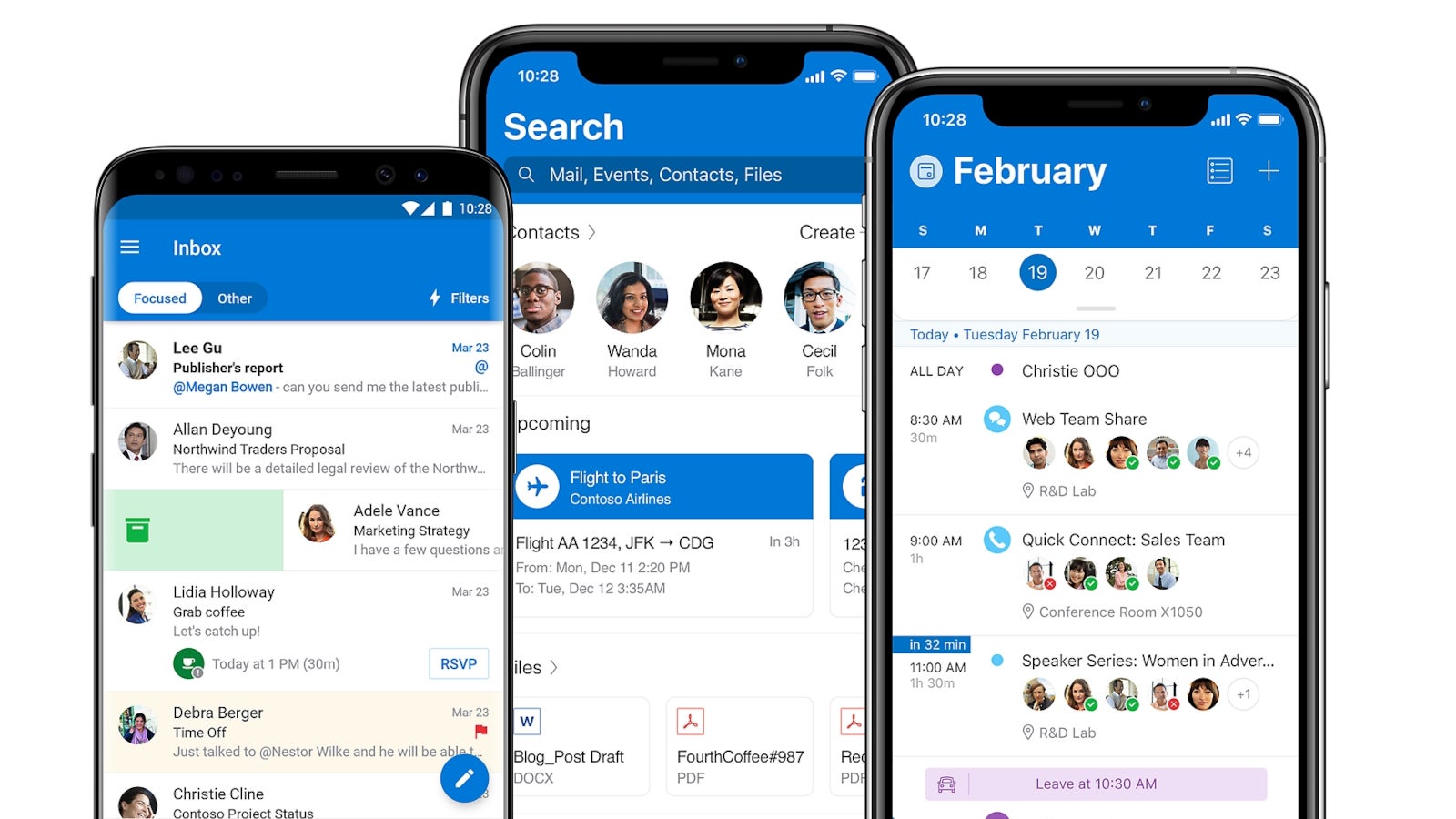
Microsoft has rolled out updates for its mobile apps on iOS and Android. While these updates have been pushed out around the same time, they bring different new features and improvements to each app.
For example, Outlook for iOS is getting a couple of new features and improvements, while the Android version receives a bug fix and several improvements to already existing features.
iOS
New features
Added a new “Report Message” to the swipe action list.
Added local account support for Box.
Improvements
Compose – You can now resend messages from the Sent folder.
Calendar – Teams meeting chat is now available from the event details in the calendar.
Android
Improvements
Events – Users can now search for events up to one year in the past, instead of six months.
Search – You can now search Teams chat messages from the new Teams tab in the search menu. Tapping a message will open Teams Mobile to that message in the thread. If the user does not have Teams Mobile, they will be directed to the Play Store.
Compose – You can now resend messages from the Sent folder.
Calendar – Teams meeting chat is now available from the event details in the calendar.
Bug fixes Fixed an issue that prevented the single sign-on flow from succeeding for Microsoft 365 accounts in some cases.Apart from all the changes included in these updates, Microsoft revealed even more new features and improvements coming to Outlook mobile.
For example, Android users will get updated conversation actions in August. At the moment, users can access the available actions in the top-right corner, but they will be moved at the bottom of the screen with the ability to customize the order and placement of the actions.
On the other hand, Microsoft confirmed plans to add search to setting on Outlook for iOS. An update set to arrive in August will add the ability to search within settings so that users can find exactly what they’re looking for. This feature will also be available on Android, but it’s set to arrive one month earlier.
Also in August, Microsoft plans to bring some major improvements to its Copilot Compose experience, which will include a polished, lightweight UI. These improvements will be available on all platforms including desktop, web, iOS, Mac, and Android.
A war has been raging in the smartphone industry, and it’s been raging ever since 2014. I’m talking about the war between affordable phones and flagship phones. OnePlus fired the first shots with the introduction of the term “Flagship killer”. For years, the definition of a Flagship killer has fluctuated a bit; however, the concept remained the same: a device that offers a premium flagship experience for a mid-range price. I was given the opportunity to review the Tecno Camon 30 Premier, and this phone just might be a prime example of a Flagship killer.
Back in the day, in order to be a Flagship killer, a phone had to bring many flagship specs yet cost a fraction of the price of the latest premium smartphones. However, the conversation around what makes a Flagship killer has become more nuanced. Simply jamming the most powerful Qualcomm chip into a phone used to be the defining factor, but that’s no longer the case nowadays.
The definition of a true Flagship killer has been lost over the years, as we’re seeing so many affordable phones offer flagship-level performance along with good speakers and displays. Honestly, it feels like the term has been deluded, but that’s not really the case. There’s a certain defining feature that makes a Flagship killer what it is, and that’s the ability to create an illusion of costing hundreds of dollars more than it actually does. A Flagship killer doesn’t only provide smooth performance or a nice display. It provides an overall experience that makes you question why and how it costs under $1,000.
So, is the Tecno Camon 30 the phone to remind us what a Flagship killer is? Let’s find out in this review.
Tecno Camon 30 Premier Review: Design
The design of this phone brings to light one of the things we’ve been missing from the flagship smartphone market. Do you remember back in the day when mainstream smartphone companies did everything they could to make each iteration of their device fresh and different from the last? Well, it seems that those days are behind us. There’s no hope for Apple at this point, and Samsung and Google have followed this trend for years as well. Each year, it appears that these companies recycle the old designs of their phones while making a few tweaks here and there. While it saves the company money using their designs, it’s BORING!
Smaller companies, on the other hand, are expending the extra money to revamp their designs, and this is what Tecno did. Last year’s Tecno Camon 20 series has this nice soft-touch plastic back with angular shapes strewn about. It had a nice design aesthetic, but this year, Tecno pulled a 180. The design of the Tecno Camon 30 Premier is something to behold.
I don’t know where to begin to describe the look of this phone. Last year’s Tecno Camon 20 Pro (Review) had a more robust design aesthetic, but the Tecno Camon 30 Premier went for a completely different effect. It’s both elegant and eclectic.
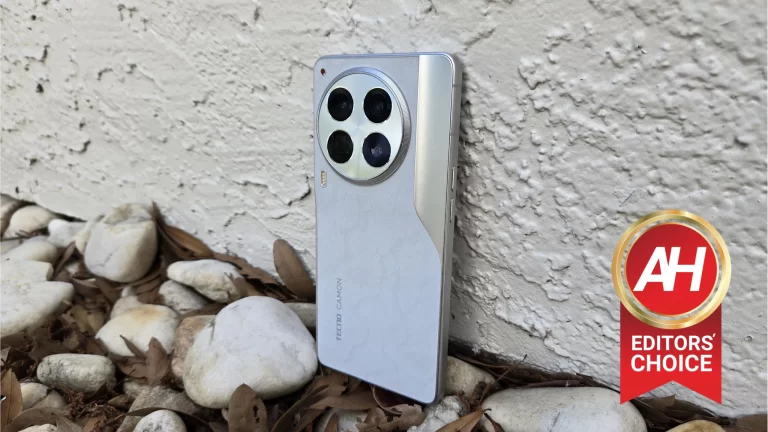
The majority of the back is covered in a soft-touch material that has a snowy design on it. Next to the camera package, there’s a small section of the back that has a matte plastic texture to it. All these are a beautiful and crisp white color that blends seamlessly with the silver frame.
Slightly offset to the left is the large circular camera package. The space between the lenses also has an icy silver color. The last details of the design are the LED flash that sits right below the camera package, and the red indicator light above it.
These elements of the design clash, but not in a bad way. They’re different, but they flow together in a very satisfying way.
This phone has flat edges, and this reminds me of what you get with the Galaxy S24 phones and the current iPhones. The edges are flat, but they do curve slightly to meet the display and the back of the phone. So, there’s a softness to the design.
The phone is relatively wide compared to other phones on the market, which I do enjoy. Also, the bezels are surprisingly thin.
Overall, the Camon 30 Premier has an absolutely stunning design. I’m not just talking about for its price, I’m talking about it in general. This is one of the most beautiful phones I have ever seen. Tecno found a way of making a design that is simultaneously robust, eclectic, and elegant. I appreciate the fact that Tecno completely revamped the design language from last year. If the phone resembled last year’s Camon 20, I wouldn’t have complained much, as that phone had a great design. However, Tecno has improved the design greatly.
Tecno Camon 30 Premier Review: Build quality
It doesn’t matter how good a phone looks if it breaks easily. So, in order for a phone to properly carry the Flagship killer burden, it also needs to be well-built. Last year’s Camon 20 premier was a $300 phone, and it definitely felt like it. It had a plasticy feel and a lack of heft that kept it from feeling as good as it should.
Well, Tecno didn’t only improve the looks of this phone compared to last year, but the build quality got a notable boost. Starting off with the feel in the hand, there is a massive improvement. Last year’s phones had plastic frames, and that lent greatly to the cheaper feeling in the hand. This time, Tecno opted for a metal frame, which greatly improved the feeling in the hand. The more premium material gives the phone a bit more weight, and the feeling of gripping the sturdy metal phone feels amazing.
The Camon 30 Premier has a little bit of thickness to it, which can be reassuring. However, the weight in the hand can also play a role in the overall feeling. I reviewed the Tecno Pova 6 Pro (Review), and one of my main complaints was the feeling of hollowness. The phone has a plastic frame, which makes it feel rather light. However, it also had a bit of thickness to it, and this made it feel a bit bloated and hollow, which led to an overall cheaper feel in the hand.
The Camon 30 Premier is a little thick, but it also has some weight to it. It’s light enough so that the phone doesn’t feel clunky, but it’s also heavy enough to give it a nice feeling of density. That’s one thing that makes a phone feel premium. It makes me feel like there are high-quality components comprising the phone, and that there’s no wasted space inside.
Durability
I applied a bit of pressure to both the front and the back of the phone. I wasn’t exactly trying to break it, but I was trying to see if there would be any flex at all. Also, I listened to hear if there were any creaks or groaning noises coming from it. I’m glad to report that there was no flexing, and there were no noises. Tecno made a solidly built phone that also feels very nice. The company really hit it out of the park.
Tecno Camon 30 Premier Review: Display
This might not seem relevant, but Tecno shares a parent company with another brand known as Infinix. As such, these phones share similar display technology. I’ve reviewed a handful of phones from both companies and (with the exception of the Tecno Pova 5 Pro), these devices have some of the most drop-dead gorgeous OLED displays I’ve ever used on any phone. I’ve gushed over them in all of my reviews, and they always manage to blow me away every time I see them.
I expected much the same experience with the Camon 30 Premier, and I was not disappointed.
Brightness
The display brightness of the Camon 20 Pro was pretty good. It was far from the brightest screen on the market, but it was bright enough to view comfortably in the sun. I was met with my reflection in bright sunlight conditions, but it was not what I would call bad. I would say that it was around the 900-nit ballpark, and that was pretty good.
However, the company decided to make the screen even brighter this time around. The Camon 30 Premier’s screen is perfectly visible even in the bright sunlight. The company boasts a 1,400 nit Peak brightness, and it definitely shows. Even in direct sunlight, everything on the screen pops, and I can view everything perfectly fine. So, whether I’m texting, gaming, or scrolling through social media, I have no issues in the sun. It’s not perfect, and it’s still a few steps behind what you get from iPhones and modern Galaxy phones. However, this is a phone that’s a fraction of the price of those phones, and it’s still great in general.
One thing I will say is that Camon 30 Premier is a little aggressive when it comes to dimming the brightness in darker environments. With the auto brightness mode on, the phone will automatically adapt the brightness to match the lighting condition. However, when the lights go down a bit, the phone tends to darken the screen too much. There are times when I would have to boost the brightness a little in order to better see my content.
Colors
As I stated before, displays on phones from the likes of Tecno and Infinix are absolutely jaw-dropping. Color production is one major factor. Companies can slap an OLED display on their phone and boost the colors. However, it’s not just about having punchy colors. A big part of the equation is the calibration; which colors shine through the most? Are they too saturated? What about the color temperature of the display?
These are some of the questions you have to ask when looking at a phone’s screen. Well, Tecno calibrated the display on the Canon 30 Premier beautifully. Yes, the colors are punchy. However, it goes further than that. I think that the white balance is spot on, creating a pleasantly icy white. The colors are well-balanced, and they keep from going overboard.
They’re saturated just enough to please the eyes without burning them. Even in their most saturated setting, the colors show restraint while offering just enough vividness to make images and videos pop. Characters in games look gorgeous, and movies and pictures look beautiful. I feel like the company spent a lot of time getting the perfect color calibration, and it really shows. This OLED screen continues the legacy that’s taking form amongst Tecno’s phones.
Extras
This device has a few neat features that may get a great panel. First and foremost this display caps out at 120Hz. Everything from navigating the interface to using certain apps looks beautifully fluid.
Another great feature of the display is the LTPO technology. Using this technology can drop the refresh rate down to a very low number During certain situations. Say, you are reading an ebook. Well, you don’t need the display running at 120Hz when you are just staring at a stationary page. So, the display will drop to a very low number in order to conserve battery life.
Lastly, this display comes with some settings to adjust the colors. Out of the box, the colors are set to a more tone-down setting. This will give you colors that are slightly punchy but much more subdued. However, you have the option to turn up the saturation to give you more juicy colors. Below those settings, you have the option to adjust the color temperature.
Overall
You’ve done it again, Tecno! You’ve created a phone with an absolutely gorgeous display. Every time I look at these displays, I’m blown away by the beautiful color calibration, brightness, and fluidity. When I reviewed the Camon 20 Pro last year, that was the first Tecno phone I ever reviewed. Also, it was the first affordable phone from overseas that I have reviewed. I had no idea what to expect, and I damn sure was not expecting it to look so beautiful. Now that I’ve reviewed a handful of Tecno and Infinix phones, you would think that I would have become desensitized to them. However, that is not the case. Tecno continues to impress me with its top-notch display technology.
Tecno Camon 30 Premier Review: Speakers
Just like how the displays on Tecno and Infinix phones are beautiful, the speakers on these phones are all pretty mediocre. I’ve yet to review a phone from Infinix or Tecno with speakers that I genuinely liked. I can’t really complain all that much, as keeping the phone’s price low means that some sacrifices have to be made.
In order to test these speakers, I used a set of short musical selections custom-made to accentuate different aspects of the speakers. These are meant to test the loudness, distortion, bass, treble, balance, vocals, and immersion. I did this along with just generally using the speakers in my everyday usage.
Loudness/Distortion
This example was a very loud rock piece, that’s meant to push the speakers to the very limits. When it comes to raw loudness, I feel that the speakers on this phone did a good job. Cranking the volume to max, I had no issues hearing the example piece or anything else I was listening to. This also means that I had no issue having the speakers outside.
I sat this phone one foot away from a sound meter, and it peaked at 85dB. So, these are not the loudest that I’ve tested, but they’re still up there.
When it comes to distortion, these speakers did a good job of reducing it. I felt that they did a good job in general, but I also compared them to the Camon 20 Pro’s. There was a notable improvement over last year’s phone when it comes to both loudness and distortion. I don’t start to hear distortion until the top volume levels. As for the Camon 20 Pro, the speakers were substantially quieter, and they offered a fair amount more distortion.
Bass
One area where I’ve never been impressed with Tecno’ss or Infinix’s phone speakers is the bass. Each time I review a phone from these companies, I keep holding out to see if one phone will offer better performance. While the performance of the Canon 30 Premier’s speakers isn’t all that great, I think that they do a better job in the base department.
When playing the example piece that heavily accents the bass, I can actually hear a bit more depth in the speakers compared to other phones from these companies. I don’t only hear the low instruments, but I also hear a bit of depth. There’s a bit of a rumble to the sound that makes the speakers sound great compared to other Tecno phones and decent in the grand scheme of things.
Again, comparing speakers on the Camon 30 Premier to those on the Camon 20 Pro, I noticed a bit of a difference. I felt like I was able to get just a little bit more Bass from the Camon 20 Pro’s speakers, but the sound from the Camon 30 Premier is a lot cleaner. Each of the instruments’ sound projects much better, and there’s a bit more depth to it. So, while there’s not more bass, there’s more quality.
Treble
Moving on to the treble, I’m hearing more improvement over other phones I reviewed from these brands. I think that overall, the speakers on the Camon 30 Premier were able to produce nice-sounding high-pitched tones. It’s easier for the sound to become distorted with higher tones. While that was the case with this phone, the distortion still wasn’t too bad. Also, there was a lot of clarity in this sound.
Balance
For this example, I played a piece of music that had equal emphasis on both the treble and bass. With it, I was able to test just how balanced the speakers are. Overall, I feel like the speakers were able to produce a nicely balanced sound. I’d say that it’s a little bit heavier on the higher tones. So, you are likely to hear the higher audio more clearly than the lower audio.
Vocals
In terms of the vocal performance, I say that these speakers do a pretty good job of projecting voices. Listening to songs, you’ll want to hear some of the finer details and texture in the voices. I say that the phone does a good job overall, and it’s a major upgrade over last year’s phone.
Immersion
For the last piece, I played a very lush and immersive orchestral piece. This is a test of how well the speakers are at creating a surrounding and encompassing sound. In terms of performance, I would say that these phone speakers are the most immersive I’ve heard from any Tecno or Infinix phone. They greatly beat the performance of the Camon 20 Pro along with the more expensive Phantom V Flip. It’s not the best on the market, but it’s pretty good, and it’s great to see Tecno bringing improvements year after year.
Overall
Compared to an expensive Galaxy or iPhone, the speakers on the Tecno Camon 30 Premier pale in comparison. However, it’s not all bad. With this phone, I’m hearing notable improvements in every area from distortion reduction to bass to immersion Etc. All these improvements come together to produce a generally decent speaker experience, which is much better than the mediocre experience I’ve had with other phones.
Tecno Camon 30 Premier Review: Performance
Now, onto a very important aspect of the smartphone experience. Again, I’m going to reference other Tecno/Infinix phones. Rarely have I ever had any issues with these phones’ general performance. The software is nicely optimized for the hardware, and I’ve always had a smooth experience overall with these phones. Now, don’t get me wrong, I definitely ran into some stutters and dropped frames throughout the software. However, those are few and far apart, and they lightly peppered an overall smooth experience.
The Tecno Camon 30 Premier glides through the software perfectly. This is an incredible performer. I shouldn’t be surprised, as it’s using the pretty powerful MediaTek Dimensity 8200. This is a powerful mid-range processor from MediaTek, and it’s the ostensible equivalent to a Snapdragon 7-Gen series processor.
HiOS is a sleek and optimized Android skin, and it shows with the performance. Every gesture, animation, menu, etc. is perfectly smooth.
Benchmarks
Any tech-savvy person should know by now that benchmarks don’t really mean much. The defining factor is real-world performance. However, it’s still nice to have a few numbers to help give us a snapshot of how this chip performs with a few clinical tests.
Firstly, I ran this phone through Geekbench 6. It achieved a single core score of 982. This just beats out the Xiaomi Poco X3 Pro (973), which uses the Snapdragon 860. As for the multi-core score, it scored a decent 3,453. This was a bit surprising, as it just barely beat out the Pixel 7 Pro (3423). This phone managed to score a GPU score of 4,027, which also beat out the Pixel 7 Pro (3967).
The second Benchmark tool I used was 3DMark. I tested it using the Wildlife Extreme Stress Test. The best Loop score was 1,768, and the lowest Loop score was 1,746. It had a stability score of 98.8%
Tecno Camon 30 Premier Review: Gaming
Another important aspect of the performance is how well this phone handles games. Well, if you’re planning on using this phone as your mobile gaming device, you will not be disappointed whatsoever.
2D games
I started off by playing Survivor.io. Sure, it’s a 2D game, so you would expect it to run perfectly smoothly. However, I chose this game because it’s not shy about having a ton of sprites on the screen at the same time. In any case, the game did not cause this phone to slow down whatsoever. Even with over 100 sprites on the screen, everything ran buttery smooth.
Mid-range 3D games
Moving on to the 3D realm, I tested the Camon 30 Premier’s performance in two stages. In the first stage, I ran this phone through mid-range 3D games. These include Dragon Ball Legends, Asphalt 9, and Sky: Children of the Light. These are all decently graphically intensive games that could definitely slow down weaker Hardware.
However, this phone was able to conquer all three of these games flawlessly. Well, almost. Dragon Ball Legends ran like a dream, and the same thing with Sky. Asphalt 9 ran extremely smoothly as well. However, while racing, I did see the phone get hung up for a Split second every once in a while. These instances were few and far apart, but they were definitely noticeable. I don’t count this as a sign that this phone has poor gaming performance.
Graphically intensive 3D games
The second stage involves two of the most graphically intensive games on the market. These are, of course, Honkai Star Rail and Genshin Impact. Starting off with Star Rail, I was very pleased with the performance. It’s important to note that this phone does have a high-performance mode with games. I tested the games using this high-performance mode. Overall, the performance was very smooth. The frame rate was able to stay within the high 50s during battle sequences and most locations.
However, when I went into town, I saw the frame rate drop to the high 40s. So, the gameplay wasn’t as buttery smooth at 60 frames a second, but it’s still generally smooth. I didn’t experience any drop frames or stutters. It’s important to note that this is with the graphics set to their maximum settings.
Moving on to the Genshin Impact, I got a comparable performance. Again, the graphics were pushed to their highest settings. When my character is in an open field, the frame rate remains locked at 60 frames a second. It’s very smooth, even during intense combat.
When I moved inside of a town, I saw the frame rate take a dip. However, it was not substantial. It remained around 50 frames per second. So, the drop in frame rate is barely perceptible, and you’re going to continue to get extremely smooth performance.
Overall, when it comes to gaming, the Camon 30 Premier is a beast. It was able to tackle all the games with great proficiency. The most graphically intensive games with their graphics turn to their highest setting are the only games that can cause this phone to lower its frame rate. However, it’s negligible.
Heat performance
So, I achieved some great gaming performances on the Tecno Camon 30 Premier. However, I think that there’s a pretty big problem. I’m not sure if it’s Tecno’s fault or MediaTek’s fault, but this phone heats up immensely during gameplay. When I started playing Genshin Impact the phone heated up so quickly that I could feel the temperature rising in real time. After about 10 minutes of gaming, the phone was already pretty uncomfortable to hold.
There was only one other phone that heated up this much during gameplay, and that was the Galaxy S23 FE. At the end of my testing, my hand actually hurt a little bit. Hopefully, Tecno can release an update to help manage the heat better because it’s pretty ridiculous. It’s only made worse by the metal frame, which is one thing I praised the phone for earlier in this review, ironically.
Tecno Camon 30 Premier Review: Camera
When it comes to the camera capabilities of the Tecno phones I’ve reviewed, it’s been a mostly positive experience. Emphasis on the word mostly. I’m not going to mince words, the camera performance of the Camon 20 Pro was absolutely abysmal. It was, without exaggeration, the worst aspect of the phone.
However, the Camon 20 Premier was a notable improvement over that phone, and things only went up from there. The camera performance of the Tecno Phantom V Flip was very pleasant, and it was actually my main camera phone before it was dethroned by the Samsung Galaxy S24+.
Now, here we are with the Camon 30 Premier. Taking the camera out and giving it the run-through, I’ve seen the typical slew of good and bad qualities with the performance.
Exposure/contrast
Overall, I think that the images are exposed very nicely. In my testing, I didn’t notice any issues with blown-out highlights. If anything, I will say that some of the images were actually exposed a bit darker than I would have wanted. There were some shots that I took in very brightly lit patches of sunlight. However, the image comes out just a bit darker than I would have wanted. It doesn’t quite convey just how eye-scorchingly bright it was
In terms of contrast, I don’t have many complaints. I think that the contrast overall is very nice. Shadows are crisp and they avoid being overly crushed. There were a few cases where some of the shadows were a little darker than I would have wanted to see. However, it’s not a major issue. Meanwhile, brighter areas keep from being blown out.
Overall, the camera on this phone is capable of producing some nicely balanced and well-exposed images.
Colors
Color reproduction is a pretty delicate subject. Some phones can lean more toward a natural color tone while others tend to lean toward more punchy and saturated colors. When it comes to the color reproduction for Tecno phones, I found that they sometimes tilt a bit warm compared to the scene. However, with the exception of the Camon 20 Pro, I generally liked the color reproduction for the phones I’ve reviewed from this company.
In the case of the Camon 30 Premier, I’m not going to stray far from that notion. The pictures have a nice warm tone to them that isn’t too warm. When it comes to color saturation, there’s a nice and pleasant pop of color that doesn’t typically go too far. The colors are just a hair more saturated than the scene, but it makes for a nice photo. I will say that the greens in some of the images tend to look a bit cartoonish. A good example will be the image below with the green leaves.
However, on the other hand, the image below of the Moses-in-the-baskets shows an excellent balance between the greens and the purple. The most nicely saturated without going too far.
When it comes to warmer colors, I think that this camera shines. The image of the yellow Wedelia and the red Hawaiian Hibiscus is exposed beautifully. The colors are pleasantly warm, with a nice pop of saturation. However, they keep from going overboard.
This is another phone that I’m giving the moniker of “Responsibly saturated.” The camera pushes the saturation just a bit to please the eyes. However, it keeps from pushing things too far.
Details
I think that the details in the images could be a bit better. When completely zoomed out, the images are beautiful. However, once I start to zoom in, the images easily start to take on a watercolor effect. This is natural with most cameras. However, I just feel that it happens a bit quickly.
With some images, zooming in just a little bit, I start to see the weird squiggly effect. It’s not too bad, but I do feel that the company could have done a little bit better. This is the sort of thing that a quick software update could probably hammer out.
Zooming
One of the most notable things about this phone is the fact that it’s one of the few phones in this price range to have a dedicated telephoto camera. The Camon 30 Premier comes with a 3x telephoto camera on the back, and it has a 50-megapixel resolution. However, it is going to use pixel binning by default, so you should get the equivalent of a 12-megapixel camera. You have the option to switch to the full 50-megapixel mode, fortunately.
Tecno boasts a 60x hybrid zoom mode, and this gives it one of the farthest-reaching zooms of any phone in this price range.
However, in my honest opinion, you will not want to use the full 60x zoom. This pushes the 3x zoom lens to its absolute peak, and the results are not aesthetically pleasing. As you can imagine, the image is extremely pixelated when zoomed in that far. Most of the zoom is done digitally.
However, when using the 3x mode, pictures come out pretty decent. I’m even able to push it up to 10x and get some pretty pleasing results. Anything past that, I think will not look great. So, even though the 60x zoom looks pretty bad, it still has a fair bit of reach.
Video
Moving on to video, this phone suffers the same sorts of pitfalls that other phones do in this price range. Simply put, this phone’s video performance is not winning any awards.
The video capture is good enough to get the job done. However, the colors are off. Still images give me some great color reproduction, but the colors in the videos seem to lean much cooler. Green leaves seem to take on this almost bluish tint
The contrast also took a hit. Shadows are crushed, and there seems to be this weird washed-out look to the footage.
Also, the stabilization is not good. I’ve definitely seen better stabilization from the likes of the Motorola Moto G 2024 phones. It does its best to smooth out the bumps, but I see more wobbling than I would like to see.
However, I am happy to see that stabilization is offered on 1080p 30fps, 1080p 60 FPS, and 4K 30fps modes. There is a 4K 60fps mode, but that does not have stabilization.
Overall
When it comes to video, I’m not surprised that the performance dipped. However, this phone is really great at taking stills. The colors look nice and the contrast is crisp. I wouldn’t say that the details captured are the best, but it’s not bad.
Tecno Camon 30 Premier Review: Battery
Well, this review has been filled with a lot of praise for this phone, and the battery department does not stray far from this track. To test this battery, aside from using it in my daily life, I ran it through a stress test. I charged the phone, disabled battery saver mode, turned off adaptive brightness, cranked the brightness up to 100%, and played a looping video at 1080p resolution until the battery died.
The results of this stress test aren’t great by flagship phone standards, but they’re definitely pretty decent. The phone lasted 15 hours in 19 minutes before breathing its last breath. It’s behind certain flagship phones like the Galaxy S24+ and a full 10 hours behind the Galaxy S24 Ultra. However, it’s ahead of phones like the Moto G 5G 2024 (just above 10 hours), Moto G Power 2024 (11 hours), and Infinix Note 40 Pro+ (11 hours).
The Camon 30 Premier can definitely get you a full day and a half if not two days with some battery management. So, you can expect to use this phone and not have to worry about charging it too much.
Charging
However, if you do have to charge it, it’s definitely got some blazing-fast charging. Tecno released this phone with a 70W fast charger in the box. Unfortunately, the charger was not compatible with my outlet here in the US, so I used my 68W charger.
With 2W less power, the difference in charging speed will be negligible. All in all, it took 1 hour and 19 minutes to charge from 0 to full. That’s definitely long compared to other phones launching with much higher-watt chargers, but it is still really fast. A quick 20-minute charge should get you about a full day’s worth of light usage.
So, while the battery performance isn’t top of the line compared to more expensive phones, it’s still really amazing for the price, and really good in general.
Tecno Camon 30 Premier Review: Software
Moving on to the software, this phone is using HiOS 14, which is running on Android 14. All in all, the software is not really different from last year’s phone. It’s a heavily skinned version of Android, and it’s very beautiful. You can’t use Dynamic theming with it, unfortunately. However, you have a myriad of gestures that you can use, and several ways that you can customize your home screen.
The only gripe that I have is the notification shade. When summoning the notification shade, you will notice the lack of the Quick Settings. In order to see the notification shade, you have to swipe down on the top left corner of the screen. However, if you want to access your Quick Settings, you have to swipe down on the top right corner of the screen. You can also swipe back and forth between the panels when they’re down. It doesn’t take a lot of effort, but this is something that people will have to get used to, and there’s no way to change it.
Another gripe that I have doesn’t have as much to do with this phone as it does with the company. Tecno is not great at updating its phones. The Camon 30 Premier has been running the February 2024 security patch. This patch is months old, and I don’t expect this phone to receive another update for another couple of months. So, if you’re a person who cares about your software, this is something you’re going to have to keep in mind
Tecno Camon 30 Premier Review: Final verdict
When a company launches the next iteration in its phone series, you expect a certain amount of improvement over the last. Why pay extra money this year to get an experience similar to last year’s? This is a question that more smartphone users are asking themselves as companies like Apple and Samsung deliver similar experiences year after year. They sprinkle in a few tweaks and a few new features, but the hardware remains largely the same.
However, other companies have yet to go down that rabbit hole. We’re still seeing companies reinventing themselves and outdoing themselves over the years all for the sake of fun and experimentation. This is what Tecno did between the Camon 20 and Camon 30 series. These phones are completely different from one another, and it’s great.
Tecno managed to improve over the predecessor and pretty much every category. This includes the design, display, camera, speakers, build quality, Etc. If you’re looking for an absolutely amazing phone, then I can’t recommend the Camon 30 Premier enough. It’s one of my favorite phones that I’ve ever reviewed, and I wish for you to share and enjoy what I’ve experienced while reviewing it.
Researchers found a serious security vulnerability in the Replicate AI platform that risked AI models. Since the vendors patched the flaw following the bug report, the threat no longer persists but still demonstrates the severity of any vulnerabilities affecting AI models.
Replicate AI Vulnerability Demonstrates The Risk To AI Models
According to a recent post from the cloud security firm Wiz, their researchers found a severe security issue with Replicate AI.
Replicate AI is an AI-as-a-service provider facilitating users to run machine learning models in clouds at scale. It provides compute resources to run open-source AI models, empowering AI enthusiasts with more personalization and tech freedom to experiment with AI as they like.
Regarding the vulnerability, Wiz’s post elaborates on the flaw with the Replicate AI platform that an adversary could trigger to threaten other AI models. Specifically, the problem existed because of how an adversary could create and upload malicious Cog containers to the platform and then interact with it via Replicate AI’s interface to gain remote code execution. After gaining RCE, the researchers, demonstrating an attacker’s approach, achieved lateral movement on the infrastructure.
Briefly, they could exploit their root RCE privileges to examine the contents of an established TCP connection related to a Redis instance inside the Kubernetes cluster hosted on the Google Cloud Platform.
Since these Redis instances serve multiple customers, the researchers noticed that they could perform a cross-tenant data access attack and meddle with the responses other customers should receive by injecting arbitrary data packets. This would help them bypass the Redis authentication requirement, and they could inject rogue tasks to negatively influence other AI models.
Regarding the impact of this vulnerability, the researchers stated,
An attacker could have queried the private AI models of customers, potentially exposing proprietary knowledge or sensitive data involved in the model training process. Additionally, intercepting prompts could have exposed sensitive data, including personally identifiable information (PII).
Replicate AI Deployed Mitigations
Following this discovery, the researchers responsibly disclosed the matter to Replicate AI, who addressed the flaw. According to their post, Replicate AI deployed full mitigation, further strengthening the security with additional mitigations. Nonetheless, they assured to have detected no exploitation attempts of this vulnerability.
Moreover, they also announced applying encryption to all internal traffic and limiting privileged network access for all model containers.
On May 29, 2024, the US Department of Justice (DOJ) announced it had dismantled what was likely the world’s largest botnet ever. This botnet, called “911 S5,” infected systems at over 19 million IP addresses across more than 190 countries. The main sources of income for the operators, who stole a billions of dollars across a decade, came from committing pandemic and unemployment fraud, and by selling access to child exploitation materials.
The botnet operator generated millions of dollars by offering cybercriminals access to these infected IP addresses. As part of this operation, a Chinese national, YunHe Wang, was arrested. Wang is reportedly the proprietor of the popular service.
Of the infected Windows devices, 613,841 IP addresses were located in the United States. The DOJ also called the botnet a residential proxy service. Residential proxy networks allow someone in control to rent out a residential IP address which then can be used as a relay for their internet communications. This allows them to hide their true location behind the residential proxy. Cybercriminals used this service to engage in cyberattacks, large-scale fraud, child exploitation, harassment, bomb threats, and export violations.
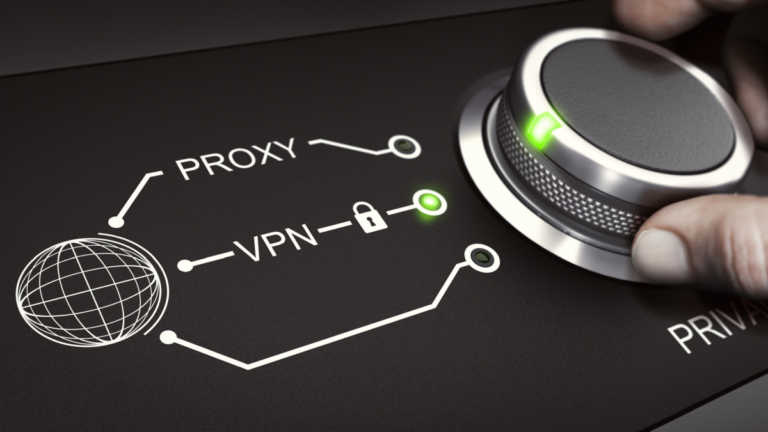
To set up this botnet, Wang and his associates provided users with free, illegitimate VPN applications that were created to connect to the 911 S5 service. Unaware of the proxy backdoor, once users downloaded and installed these VPN applications, they unknowingly became part of the 911 S5 botnet.
Sometimes the VPN applications were bundled with games and other software and installed without user consent.
For this reason, the FBI has published a public service announcement (PSA) to help users find out if they have been affected by this botnet.
Users can start by going over this list of malicious VPN applications associated with the 911 S5 botnet:
MaskVPN
DewVPN
PaladinVPN
ProxyGate
ShieldVPN
ShineVPN
If you have one of these VPN applications installed, sometimes you can find an uninstaller located under the Start menu option of the VPN application. If present, you can use that uninstall option.
If the application doesn’t present you with an uninstall option, then follow the steps below to attempt to uninstall the application:
Click on the Start menu (Windows button) and type “Add or remove programs” to bring up the “Add and Remove Programs” menu.
Search for the name of the malicious VPN application.
Once you find the application in the list, click on the application name, and select the “Uninstall” option.
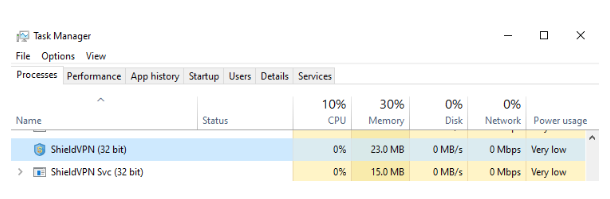
Once you have uninstalled the application, you will want to make sure it’s no longer active. To do that, open the Windows Task manager. Press Control+Alt+Delete on the keyboard and select the “Task Manager” option or right-click on the Start menu (Windows button) and select the “Task Manager” option.
In Task Manager look under the “Process” tab for the following processes:
MaskVPN (mask_svc.exe)
DewVPN (dew_svc.exe)
PaladinVPN (pldsvc.exe)
ProxyGate (proxygate.exe, cloud.exe)
ShieldVPN (shieldsvc.exe)
ShineVPN (shsvc.exe)
Example by FBI showing processes associated with ShieldVPN in Task Manager
If found, select the service related to one of the identified malicious software applications running in the process tab and select the option “End task” to attempt to stop the process from running.
Or, download Malwarebytes Premium (there is a free trial) and run a scan.
Whether you’re using the free or paid version of the app, you can manually run a scan to check for threats on your device.
Open the app.
On the main dashboard, click the Scan button.
A progress page appears while the scan runs.
After the scan finishes, it displays the Threat scan summary.
If the scan detected no threats: Click Done.
If the scan detected threats on your device: Review the threats found on your computer. From here, you can manually quarantine threats by selecting a detection and clicking Quarantine.
Click View Report or View Scan Report to see a history of prior scans. After viewing the threat report, close the scanner window.
It seems that Google is working on further improving the Find My Device network by integrating support for AR directions. They would also make it compatible with UWB for even more precision. The company seeks to make its tracking system as complete and functional as possible.
AR directions and UWB support for Android’s Find My Device are under development
The potential new features were found by Android Authority after an in-depth analysis of the latest Find My Device app update (3.1.078-1). According to the report, its source code now includes strings that reference UWB support and AR directions. Starting with AR directions, it would be a more advanced and graphic way to find your device or tracker.
The feature is not yet functional, but its name suggests how it would work. It would offer navigation instructions through a multi-layered UI that would require you to use the device’s camera. Arrows, text, and voice prompts will likely appear on the screen, depending on whether you’re on the right path. Google Maps has a similar feature called “Live View,” so Google already has experience in the field.
Regarding UWB support, it would help make tracking much more accurate. The strings related to this function mention a “precision finding” option. Additionally, among the libraries found, a “startRanging call” function stands out. Trackers and devices must be compatible with UWB to take advantage of the additional precision.
Both methods can work separately
The report indicates that both tracking methods would work separately. There is no string suggesting that AR directions are only available for UWB-supported devices. So, you will be able to use this method of navigation with any Find My Device network-compatible product.
Companies like Samsung have their own AR direction system for tracking devices. Its Galaxy SmartTag 2 is compatible with this option, but it only works with the Galaxy ecosystem. Meanwhile, Google wants to offer AR tracking directions for Android devices of all brands.
Google has been working lately on making the Find My Device option more complete and functional. A recent leak revealed that the company would implement biometric identification support for logging in. Google would also add an option to remotely lock your device requiring only your phone number and solve a quick security challenge.