DOJ announces arrest of Rui-Siang Lin, accused of running Incognito Market, a dark web hub facilitating $100M+ in illegal drug sales. Lin faces severe charges, signalling law enforcement’s crackdown on online drug trafficking.
In a major blow to online and dark web drug trafficking, the U.S. Department of Justice (DOJ) announced the arrest of Rui-Siang Lin, a 23-year-old man from Taiwan. Lin, who went by the handles of Pharoah, and faro, is accused of operating Incognito Market, one of the largest illegal narcotics marketplaces on the dark web, facilitating over $100 million in illicit sales.
According to the DOJ press release, Lin was apprehended at John F. Kennedy International Airport, New York on May 18th, 2024. He is charged with one count of engaging in a continuing criminal enterprise, which carries a mandatory minimum sentence of life in prison. He also faces charges of narcotics conspiracy, money laundering, and conspiracy to sell adulterated and misbranded medication.
Incognito Market: A Global Bazaar for Illegal Drugs
Incognito Market surfaced in October 2020 and operated on the dark web, a hidden part of the internet accessible only through the Tor browser. This anonymity allowed users to buy and sell illegal narcotics, including fentanyl-laced pills disguised as prescription medication, across the globe.
Lin Accused of Profiteering from Deadly Trade
The DOJ alleges that Lin profited significantly from Incognito Market, taking a 5% cut of every sale. This system reportedly netted him millions of dollars.
Attorney General Merrick Garland emphasized the department’s commitment to pursuing criminals operating online. “Drug traffickers who think they can operate outside the law on the dark web are wrong,” he stated.
Special Agent in Charge Ivan J. Arvelo of Homeland Security Investigations (HSI) New York echoed this sentiment, highlighting the dangers posed by the Incognito Market. “Lin’s alleged operation resulted in the illicit sale of over $100 million in narcotics, including those that were mislabeled and later found to include deadly fentanyl.”
It is worth noting that at the time of publishing this article, the Incognito Market was still online
Incognito Market
Lin’s Case a Warning to Dark Web Criminals
The arrest of Rui-Siang Lin sends a clear message to those operating on the dark web: law enforcement is actively working to dismantle these criminal networks. The case also underscores the dangers associated with anonymous online marketplaces, where potentially deadly substances can be easily obtained.
Jake Moore, Global Cybersecurity Advisor, ESET commended law enforcement agencies on their investigation. “This arrest highlights the amount of work and effort put in by law enforcement-run cybercrime units around the globe and how they will exploit any mistake made to target their offenders and the real task now will be to prove the arrest was not in vain and create an investigation full of evidence to put the perpetrator behind bars.”
These days, the most innovative tech sector seems to be robotic vacuums. And ECOVACS has proven once again that they can be innovative, even more so than their competitors. The new ECOVACS DEEBOT T30S COMBO is an incredible cleaning hub for your home.
You see, the DEEBOT T30S COMBO doesn’t just include the robot vacuum, with the usual emptying of the dustbin, cleaning the mops, and refilling the water reservoir, but it also has a slot for a handheld vacuum. Which, when you dock it, it will also auto-empty, like the robot vacuum. That makes this an incredible value and cleaning hub for your home.
Really, it’s everything I could want from a robot vacuum. At least on the box. Can the ECOVACS DEEBOT T30S COMBO live up to the hype? Let’s find out in our full review.
ECOVACS DEEBOT T30S COMBO Review: Hardware and Design
In the box with the DEEBOT T30S COMBO, you’ll find the robot vacuum of course. As well as the docking station, removable base plate, and a side brush. You’ll find the main unit, mini power brush, flat brush, and crevice tool for the handheld vacuum cleaner. It’s pretty simple to put together, basically just slotting everything into its spot, with the additional tools for the handheld vacuum going in a “drawer” below where the main unit sits. Essentially, making setup easy is important for any robot vacuum, specifically one that includes a second vacuum.
The design of the DEEBOT T30S COMBO is pretty much what you would expect from a robot vacuum. It comes with a matte black finish, which is really nice to see. Some other vacuums will have more of a glossy finish, and after being in use for a few weeks or months, it really gets pretty scratched up. So that’s a good decision on ECOVACS part.
The station is in all black, with a matte finish as well. It matches the T30S robot vacuum, and honestly, it fits pretty well with any decor. Now, this is a pretty big station, but keep in mind that this vacuum uses a couple of actual mops and not mopping pads, so it uses more water to clean your floors and the mopping pads. Hence why the clean and dirty water containers in the station are so large.
A nice touch that ECOVACS has added recently, is the button on the station. This button can be used to start or stop a cleaning task. Or you can long-press it to empty the dustbin. This was also available on the DEEBOT X2 that was released last year.
Below the two water tanks, you’ll find the dust bag that collects all of the dirt, dust, and other debris when either vacuum is emptied. It’s nice and tucked away but still easy to find and replace after a month or so.
ECOVACS DEEBOT T30S COMBO Review: Functionality
Now let’s talk about the functionality of the DEEBOT T30S COMBO because when you’re buying a $1,199 robot vacuum (and handheld vacuum), you want to know that it works and works well. That’s quite a bit to spend on a robot vacuum, even if it does come with a separate handheld vacuum. But it is well worth it in my opinion.
First off, let’s talk about one of the most important specs here, and that’s the suction power. On the DEEBOT T30S, the suction power is rated at 11,000Pa. That’s pretty powerful. Most other robot vacuums are closer to 5,000Pa. So this more than doubles the suction of its competition. So, what does that mean in the real world? Well, it’s going to do a better job of cleaning your floors. Get more of the dirt that’s matted into the carpet and rugs in your home. And in my experience, it has done just that.
The handheld vacuum, on the other hand, is even stronger. It is rated at 17,000Pa for suction power. That’s quite good and on par with a lot of other handheld vacuums. And let me tell you, it has done a really good job of getting up some very stubborn dog hair. The handheld vacuum has been particularly useful for me on stairs, where dog hair and dust like to accumulate in the corners of the steps. Of course, robot vacuums don’t do well with stairs, so that’s when I need to break out a stick vacuum or a handheld vacuum like what is included with the DEEBOT T30S COMBO here. That’s one of the main reasons why I’ve fallen in love with this bundle. Previously, I had my robot vacuum set up in the living room, and somewhere else in the house, I had a stick vacuum set up to get things that the robot vacuum couldn’t. The DEEBOT T30S COMBO saves me space and time.
Finally, ECOVACS also uses the ZeroTangle Anti-Tangle Technology. This works to keep stuff from getting tangled around the main brush. Despite it not being a rubber brush, it does quite well at avoiding tangles, especially with hair. Typically, brushes do get tangled pretty easily in my home due to the fact that my dog is always shedding. However, after three weeks of vacuuming every day, I’ve had zero tangles with the DEEBOT T30S COMBO, which is quite telling.
The Best robot mop I’ve ever used
For a long time, I did not use the mopping functionality on robot vacuums. A big reason for that was the fact that you needed to add and remove the mopping pad, you also couldn’t use any soap, and it just didn’t do a good job at all. But that’s changed in the past few years. And I have to say ECOVACS is leading the pack when it comes to mopping.
You see, ECOVACS uses two mops on the bottom of the vacuum that rotate and can actually scrub your floors, versus just a mopping pad. Sure those mopping pads can do a little bit of scrubbing, but it’s nowhere near as good as it should be.
I was already impressed with the mopping capabilities of ECOVACS older robot vacuums like the DEEBOT X2. However, the company took it up a notch with the T30S. Adding in TrueEdge Adaptive Edge Mopping takes things to a whole new level. Basically, it can swing out the left mop to clean the edges of the floor. It’s kind of a no-brainer since robot vacuums are usually round, and the mop is behind the actual vacuum portion, making the edges of the floor feel forgotten. But with the DEEBOT T30S, that is not the case. It’s done a phenomenal job of cleaning my kitchen. In fact, it’s done the best of any robot vacuum that I’ve tested so far. A lot of time they will leave dirt and dust under the cabinets, in the edges and corners of the room. None of that gets left behind with the T30S.
Of course, I can’t forget the fact that you can use soap with the mop as well. ECOVACS has its own solution that you can use, and it won’t damage the vacuum. Additionally, it cleans the mop when it is docked, and uses hot water, as well as drying it with hot air – up to 158 degrees Fahrenheit. That is actually a really important aspect, as leaving wet mops around can grow bacteria. Unfortunately, for that reason, you will go through water faster with this station than with some of its competitors. It’s a small price to pay for such a great mop, however.
The DEEBOT T30S performed well in our tests
Using the DEEBOT T30S to clean up our home is a pretty easy test, but it’s not always going to be the same. So we have created a couple of “benchmarks,” if you will. To test out the vacuum and the mopping aspect of the vacuum.
First off, the vacuuming section. Basically, we poured about half a cup of flour on the carpet. It’s spread out, some of it is stepped on so it’s more embedded into the carpet. Then, we do spot cleaning on the vacuum’s highest settings. This includes the highest suction available, as well as having it do two passes. The DEEBOT T30S, like many other robot vacuums, will do two passes, going in different directions.
So how’d it do? Well, in the picture below, you can see what it looked like before it vacuumed, as well as after the first pass and after the second pass. You can see that it picked up most of the flour, but there was one area where it was more embedded into the carpet that it apparently struggled with. It still did very well, but it was not perfect. Compared to other robot vacuums in its price range, it hung in quite nicely.
The second test we do is actually a two-parter. Basically, we put some ketchup on the floor and let it dry. Then do another spot clean in that area with vacuuming and mopping, on its highest settings. That includes the max suction and max water flow. As well as the Deep Cleaning option enabled, and it does two passes once again.
As you can see in the image below, after the first pass, the ketchup was mostly gone, though you could still see a little bit left. After the second pass, it was completely gone. That’s a win in my book, as dried ketchup can be pretty tough to get up for a human with a mop, nevermind a robot.
I did mention that this was a two-part test. And that’s because now the mops are full of ketchup, right? So, let’s see how well the station is able to clean the mops when it goes back to the dock. It turns out pretty well. The picture below shows what the mops looked like after cleaning up the ketchup and getting it cleaned in the station. It’s not too bad if I say so myself.
ECOVACS DEEBOT T30S COMBO Review: Software
I have to say, the ECOVACS app is probably the best robot vacuum app on the market right now. And I’ve used just about all of them. Over the past 8 years, I’ve reviewed probably close to 40 robot vacuums and have used all of the big names. But the ECOVACS app is by far my favorite. You might be wondering why. Well, the company has made it so simple to use the app, control your vacuum, and even control multiple vacuums. For instance, I currently have the DEEBOT X2 and the DEEBOT T30S COMBO listed in my app. Now, I can swipe to the one I want and then tap on “Robot Controls,” this takes me to the home screen of that robot vacuum. Or you can tap on “Sart Cleaning” or “Recharge”, and you can also see if it is online and what the charge rate is.
It’s the little things, but it does make a huge difference. Now, once you jump into the vacuum, you’ll see the floor plan for the last floor that it vacuumed – remember, it can remember multiple floors. Below, you’ll see options for cleaning. Whether you want to clean the entire floor, a specific room or two, different zones, or set up scenarios.
With Scenarios, you can set up all kinds of things. The scenarios that are recommended by default are for daily cleaning and deep cleaning. So, if you schedule your vacuum to clean every day, you can adjust the cleaning of each room. For instance, you can have it do one or two passes, adjust the suction power from standard to Max, and adjust the water flow rate from low to medium or high. You also have the ability to adjust which rooms actually get cleaned. Maybe you want to keep it out of the bathroom, but you can make that happen with the scenario option. Then, you can still set up a deep, clean scenario that you can jump to whenever you want.
In Settings, there are plenty of options too. Including the Cleaning Log, which will show you how much space it cleaned and how long it spent cleaning. ECOVACS also saves the floor plan and how it was cleaned, so you can go back and see how good or bad it actually cleaned.
Here, you can also set up scheduled cleanings, as well as check on maintenance, which we’ll cover more in the next section. There are a ton of settings available for ECOVACS within the app. That’s a good thing, it lets you change just about every aspect of the vacuum to your liking and to what is needed for your home.
YIKO is like Google Assistant, specifically for your robot vacuum
YIKO isn’t actually new on the DEEBOT T30S COMBO; it’s actually been around for quite some time. And I do remember on the first few robot vacuums that had this voice assistant, it would go off pretty often, when it shouldn’t. I’d have the TV on, and all of a sudden, the vacuum would start talking to me. I can say, that with the T30S, thankfully, that has not happened. In fact, I almost forgot about the false positives from older ECOVACS models like the DEEBOT X1 Omni and X2 Omni.
It’s not a feature that I use often, but I can see where it is useful. You can ask YIKO to start cleaning, tell it to pause the task, ask about its current flow and cleaning mode, and so much more. It can be very useful if you are busy cooking and maybe you spilled some flour on the floor. Ask YIKO to start cleaning the kitchen (if you’ve named the room), and it’ll get started for you. Or, if you’re getting ready to leave the house, you can tell YIKO to “start cleaning in 15 minutes” when everyone has left the house. So there’s nothing in its way.
It is useful, but to be honest, I mostly either open the app to start cleaning or press the button on the station. Additionally, I have it scheduled to be cleaned every day around noon. So I don’t often need to have it vacuumed other than during its schedule.
If you don’t like or don’t want to use YIKO, you do have the option of turning it off in the Settings.
ECOVACS DEEBOT T30S COMBO Review: Maintenance
This robot vacuum requires the least amount of maintenance of any robot vacuum I’ve ever used. So far, after using it nearly every day for three weeks, the only thing I’ve had to do was empty the dirty water tank and refill the clean water tank. The main brush has not gotten tangled once, the station has been able to auto-empty the dustbin on both vacuums without any issues, and the dustbag is only about half full right now.
Obviously, some parts are not going to last forever. Like the brushes, the filters, and the mops. ECOVACS does a good job of letting you know when any of these need to be replaced, and you can easily mark them as “replaced”. These parts do last for hundreds of hours, in particular, the main brush works for around 300 hours before needing to be replaced, and the side brush does 200 hours.
With the handheld vacuum, there’s even less maintenance to do. All you need to do is take the tool off of the end and put it back into the drawer, then slot the handheld vacuum in place. It’ll then empty the dustbin, and that’s it. The only part that would need replacing is the HEPA filter. And that’s an easy one to replace.
This is about as close as you’re going to get to a fully automated cleaning experience, to be quite honest.
Should you buy the ECOVACS DEEBOT T30S COMBO?
Normally, with robot vacuums that are over $1,000, it’s hard for me to recommend. However, the DEEBOT T30S COMBO is easier to recommend since you are getting that handheld vacuum included. One of those can oftentimes be another $300-$400. That makes this a lot more worth your money.
So now, should you buy the ECOVACS DEEBOT T30S COMBO? Yes. However, I will say that this particular vacuum makes a lot more sense for those who are in homes that have a good amount of laminate, hardwood or tile floors. You know, floors that can be mopped. Since the mopping is so good on this unit, you definitely want to take advantage of that as much as you can.
Of course, at this price of $1,199, it’s still an expensive robot vacuum. But I can confidently say that with the amount of time you’re going to save with the DEEBOT T30S COMBO, it is worth the money. Now, if you don’t need that handheld vacuum, you can get the exact same robot vacuum as just the DEEBOT T30S for $999 (that’s $200 less). But I do think that if you’re spending a grand on this, you should splurge and spend the extra $200 for the handheld vacuum.
A data leak incident involving Clarity.fm left the personal data of business leaders and celebrities exposed to public access. Learn the details of the leak, the potential consequences, and how to protect yourself from the aftermath of a data leak.
A recent data leak involving the San Francisco-based firm Clarity.fm, a platform connecting entrepreneurs with industry experts, left sensitive and personal information about business leaders and celebrities exposed to public access without any security authentication.
Founded in 2012, Clarity.fm prides itself on facilitating on-demand consultations between entrepreneurs and established professionals, boasting over 3,000 experts and having Mark Cuban, Brad Feld, and Eric Ries as clients.
However, cybersecurity researcher Jeremiah Fowler discovered a non-password-protected database containing an estimated 155,531 records and 121,000 member accounts of entrepreneurs, top celebrities and business leaders. The records included a trove of information including the following:
Full names
Phone numbers
Email addresses
Consultation content
Hourly consultation rates
Payment records related to previous consulting sessions
and more…
The leaked data (Screenshot provided by Jeremiah Fowler – Website Planet
“The profiles showed personal and professional email addresses, hourly rates, past consulting sessions’ payments, and their internal rating or score (based on user feedback). The records were marked as production data, and indicated if the person was a member, leader, or mentor,” Fowler wrote in his blog post on WebsitePlanet.
Business leaders and celebrities entrusted Clarity.fm with sensitive details. These individuals may have sought guidance on critical matters related to their businesses or careers.
Therefore, this leak raises serious concerns about data security and the potential consequences for its high-profile clients as with the data exposed, they face an elevated risk of being targeted by cybercriminals.
This information could be a goldmine for malicious actors seeking to launch targeted scams, phishing attacks, and blackmail attempts. They may also target cloud storage infrastructure, exploit vulnerabilities, or use social engineering techniques for credential theft.
The use of artificial intelligence in phishing campaigns has made it easier to deceive recipients into providing personal or business information. Voice-cloning AI can also be used to gain trust and obtain unauthorized access to sensitive accounts.
Fowler promptly sent a responsible disclosure notice and secured the database, but it’s unclear how long it was exposed or if anyone else gained access. An internal forensic audit could identify the information.
It’s also unclear if the database was owned by Clarity.fm or a third-party contractor. Still, Fowler believes Clarity.fm, its partners and affiliates were not directly responsible for the leak.
Platforms handling sensitive user information must ensure proper cybersecurity measures, including regular data encryption, secure storage practices, and user authentication protocols. Businesses and individuals should be mindful of the data they share online, sharing only the minimum amount to mitigate risks.
This is a story about how the FBI got everything it wanted.
For decades, law enforcement and intelligence agencies across the world have lamented the availability of modern technology that allows suspected criminals to hide their communications from legal scrutiny. This long-standing debate has sometimes spilled into the public view, as it did in 2016, when the FBI demanded that Apple unlock an iPhone used during a terrorist attack in the California city of San Bernardino. Apple pushed back on the FBI’s request, arguing that the company could only retrieve data from the iPhone in question by writing new software with global consequences for security and privacy.
“The only way to get information—at least currently, the only way we know,” said Apple CEO Tim Cook, “would be to write a piece of software that we view as sort of the equivalent of cancer.”
The standoff held the public’s attention for months, until the FBI relied on a third party to crack into the device.
But just a couple of years later, the FBI had obtained an even bigger backdoor into the communication channels of underground crime networks around the world, and they did it almost entirely off the radar.
It all happened with the help of Anom, a budding company behind an allegedly “secure” phone that promised users a bevvy of secretive technological features, like end-to-end encrypted messaging, remote data wiping, secure storage vaults, and even voice scrambling. But, unbeknownst to Anom’s users, the entire company was a front for law enforcement. On Anom phones, every message, every photo, every piece of incriminating evidence, and every order to kill someone, was collected and delivered, in full view, to the FBI.
Today, on the Lock and Code podcast with host David Ruiz, we speak with 404 Media cofounder and investigative reporter Joseph Cox about the wild, true story of Anom. How did it work, was it “legal,” where did the FBI learn to run a tech startup, and why, amidst decades of debate, are some people ignoring the one real-life example of global forces successfully installing a backdoor into a company?
The public…and law enforcement, as well, [have] had to speculate about what a backdoor in a tech product would actually look like. Well, here’s the answer. This is literally what happens when there is a backdoor, and I find it crazy that not more people are paying attention to it.
Joseph Cox, author, Dark Wire, and 404 Media cofounder
Tune in today to listen to the full conversation.
Cox’s investigation into Anom, presented in his book titled Dark Wire, publishes June 4.
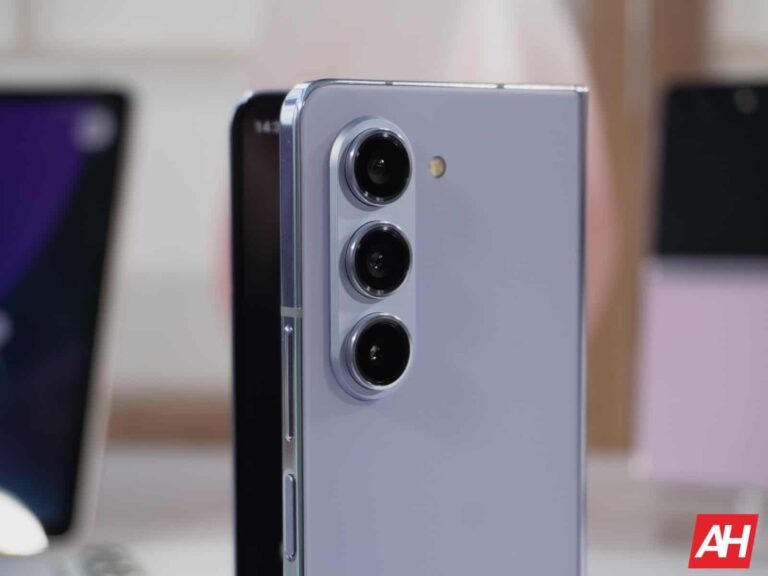
The Xiaomi MIX Fold 4 & HONOR Magic V3 are coming with flagship specs
The information comes from Digital Chat Station, who shared the details via Weibo. Both of those smartphones will be fueled by the Snapdragon 8 Gen 3. That’s what was expected, and the tipster basically just confirmed it.
In addition to that, he mentioned that both phones will include a 5,000mAh battery on the inside. That means a slight bump for Xiaomi’s phone, as the Xiaomi MIX Fold 3 features a 4,800mAh battery pack.
In the case of the HONOR Magic V3, well, it only means that it will keep the case battery capacity as its predecessor. At the moment, the Vivo X Fold 3 Pro is leading the battery size race, as that foldable includes a 5,700mAh battery.
Their predecessors launched in Q3 last year
The Xiaomi MIX Fold 3 launched back in August last year. The HONOR Magic V2 arrived in July 2023. In other words, both smartphones are right around the corner, and both phones are rumored to launch a bit earlier than last year. It remains to be seen how accurate that is, however.
What’s also worth noting is that both of these phones will soon launch their first clamshell smartphones. The Xiaomi MIX Flip is coming, and the same goes for the HONOR Magic V Flip. In fact, we already know that the HONOR Magic V Flip is coming on June 13. It will launch in China first. We’re not sure if it’s coming to global markets.
The Xiaomi MIX Flip is expected to launch in markets outside of China, though. That could suggest that the Xiaomi MIX Fold 4 will also launch globally. That would be great, as not a single one of its predecessors left China.
TSMC, the world’s largest semiconductor foundry, doesn’t see Huawei‘s resurgence as a threat. The company believes its chip technology is too advanced for Huawei, China, or any other emerging competitors to catch up to it. The Taiwanese giant’s confidence and optimism aren’t unfounded as even established players have failed to eat its market.
TSMC says Huawei and China are no trouble for it
A handful of companies dominate the global semiconductor foundry market. TSMC is the largest contract chip manufacturer by a huge margin. In Q1 2024, it captured 62% of the market by revenue. Samsung followed it distantly with a 13% share. It has been like this for many years. These are the only two firms currently manufacturing 3nm chips, the most advanced solutions yet.
Intel has also stepped into the 3nm era but it doesn’t manufacture chips for other firms. The American firm plans to expand into contract manufacturing but hasn’t started yet. Samsung also mostly produces its in-house Exynos chipsets. It is open to producing chips for others but doesn’t get as many orders as TSMC. This is primarily because the latter’s tech has always proved superior.
As such, TSMC holds a lion’s share in this market. Unsurprisingly, the company doesn’t see anyone challenging it anytime soon, not even Huawei, which has been rapidly advancing its chip technology in recent years. In its annual shareholder meeting earlier this week, TSMC’s Chairman Mark Liu said that Huawei and other emerging semiconductor firms are no threat to it.
Liu noted how the company has stood long and tall despite many competitors trying to topple it. The Taiwanese firm has thwarted all the competition. TSMC’s President Wei Zhejia echoed his colleague’s sentiments. He said it’s “impossible” for anyone to come close to the company in chip fabrication technology. Its years of experience are invaluable and can’t be replicated in a jiffy.
Huawei is working towards self-sufficiency
The US strand restrictions have severely impacted Huawei’s business. It is now mostly limited to China and doesn’t have access to the latest smartphone technologies. Chinese semiconductor firm SMIC supplies chips to the company. It uses the older DUV equipment instead of EUV, so its chips aren’t as competitive as Qualcomm’s Snapdragon, MediaTek, Dimensity, and Samsung’s Exynos.
However, backed by the state fund, Huawei is working towards self-sufficiency with a robust domestic smartphone supply chain. The road ahead is still too long—Huawei is struggling to achieve healthy nm yields while TSMC and Samsung aim to start 2nm production next year—but the Chinese firm believes that “a semiconductor breakthrough is inevitable.” Surely, competition is good for the market. But can anyone challenge TSMC, only time will tell.
The days are few between now and Monday which is when Apple will preview the AI features that it is adding to iOS 18 this year in what has been tipped as the largest update in iOS history. According to AppleInsider, one of the apps that will get an AI makeover this year is the iOS Mail app. I remember when this was the app you needed to send and receive email on the original iPhone. But once the App Store opened for business and Google released the Gmail app, the iOS Mail app lost much of its usefulness.
Don’t you love hearing the “swoosh” from Apple’s native Mail app?
To be honest with you, I like to use the iOS Mail app to send emails because there is nothing more satisfying than pressing the send button and hearing that “swoosh” signifying that the mail has been sent. Today’s report indicates that “Project BlackPearl” will be used to give iOS Mail a massive AI makeover in iOS 18. Search results in the AI-powered iOS Mail app will allow users to send “Smart Replies” to emails created by Apple’s on-device Ajax LLM (Large Language Module).
The iOS Mail app will get an AI makeover in iOS 18
Such a feature is a huge time saver and is perfect for companies that need to respond to huge amounts of customer emails. Using the “Smart Reply” feature, an answer is quickly generated on-device by AI and the user can even request that a response be created by AI using a more professional style. Besides Mail, “Smart Reply” is expected to be available to Siri and Messages users.
Using “Smart Reply” will allow an iPhone user to adjust the tone of responses using other options besides making them sound more professional. These emails could be re-written by AI to sound more friendly, or written to be more easily understood by the targeted recipient.
Project BlackPearl will also allow emails to be placed in categories based on the content of the email. Time-sensitive emails will also be identified. According to those familiar with Apple’s plans, email will be classified and placed into a pre-defined category such as:
Commerce
News
Other
Promotions
Social
Transaction
These categories could be used by Siri to help the virtual assistant identify different types of email. One new feature that I’m looking forward to will allow Siri to summarize emails, email threads, and certain types of text.
AppleInsider says that it has learned from those familiar with the matter that in iOS 18 and macOS 15, the following kinds of text-based content can be summarized:
Emails and email threads
Messages
Notifications and notification stacks
Notes
Posts
User-provided texts and news articles
The new AI initiative will allow the iOS apps that provide summaries to create different types such as:
Topic-level summaries – with just three topic words, this summary will provide the key concepts of a text.
10 or 20-word summaries that use clauses instead of full sentences.
Paragraph-level summaries – brief and to the point, a three-sentence paragraph, containing no more than 60 words, reveals the major point of a text.
While Apple’s Ajax LLM could handle these summaries, Apple might rely on its AI partnership with OpenAI to handle more advanced summarization.
Siri will look completely different once iOS 18 is released
Apple’s plan to make its AI summaries useful is to have AI act as an expert with the main goal of helping users of Apple’s operating system understand text. This would seem to mean that virtual digital assistant Siri will certainly look completely different when iOS 18 is released thanks to the addition of LLM capabilities.
The Photos app will work with Siri to enhance images, find certain photos, and display them. With the Notes app, Siri will be able to open and analyze certain documents, analyze them, and share them via the Messages app.
And with AI, Apple’s software will be able to create and edit images. Such images will include:
Animation
Emoji
Illustration
Line Art
Sketch
Recently we told you that AI will allow devices running iOS 18 to create Emoji on the fly based on contextual clues.
All the fun will begin this Monday, June 10th, starting with the WWDC 2024 Keynote which begins at 10 am PDT/1 pm EDT. Check out PhoneArena throughout the day for the latest news and analysis about Apple’s WWDC announcements.
Infamous cybercrime forum Breach Forums is making a comeback! The dark web resurrection is confirmed with a new Onion domain, while the clearnet site might relaunch sometime in the coming weeks.
Important – Editor’s Note:
The following claims originated from a Telegram account previously associated with ShinyHunters, before the seizure of Breach Forums. However, Hackread.com cannot verify whether the account is still used by the original ShinyHunters hacker.
Therefore, Hackread.com strongly advises readers against engaging in any cybercrime activities. If considering registration on a cybercrime forum, proceed at your own risk.
Breach Forums, the infamous cybercrime and hacker forum, is set to return to the dark web with a new Onion domain, Hackread.com can confirm. While the exact timeline for the revival of its clearnet domain remains uncertain, administrators are working towards its relaunch any time this week.
ShinyHunters, both a hacker and administrator of Breach Forums, confirmed these developments to Hackread.com. According to the hacker, the new Onion domain for Breach Forums stands prepared for a comeback, set to take place sometime in the following week.
“The onion is ready, it’s not public yet, but it will be launched probably this week.” When questioned about the status of the clearnet domain, the hacker simply mentioned that “the clearnet will come back,” offering no specific timeframe.
Notably, Breach Forums V2 fell under FBI seizure on May 15th, 2024, reportedly following the apprehension of two administrators, one known by the alias Baphomet. ShinyHunters disclosed to Hackread.com their suspicion that Baphomet may have surrendered backend credentials to the FBI, leading to the complete seizure of the forum’s Escrow, both dark web and clearnet domains.
However, recent developments have taken an interesting turn, as ShinyHunters announced the retrieval of access to the seized clearnet domain for Breach Forums last week from the FBI, utilizing a method whose specifics remain undisclosed.
Interestingly, neither the FBI nor the DoJ has issued press releases regarding the seizure or any of the related events. While the FBI has acknowledged the seizure and urged victims of data breaches on Breach Forums to step forward and complete a form to facilitate further investigation, official statements from the authorities are still pending.
With ShinyHunters’ announcement of regaining access to the seized clearnet domain, the plot thickens, leaving many questions unanswered about the forum’s future and the role of law enforcement agencies.
Nevertheless, is it obvious that Breach Forums is undergoing a significant transformation. From its seizure by the FBI to the potential revival with a new Onion domain, the story goes on to show the tricky and strange world of cybercrime.
When Google announced the Pixel 3a (and 3a XL) back in May of 2019, the whole tech world was taken aback by how great a sub $350 phone could be. It sported basically all of the same specs and features as its more expensive counterpart (at the time, Pixel 3 and 3 XL), but for about half the price.
Now, fast forward five years, and a few price increases later, we have the Pixel 8a. On paper, it looks incredible for $499. We’re talking a 6.1-inch 120Hz 2000nit display, Tensor G3 processor, 8GB of RAM, 128GB or 256GB of storage, and, of course, the renowned Pixel camera. But what makes this an interesting phone is, the fact that the Pixel 8 exists. It is only $200 more (though it is often times on sale for only $50 more) and brings you all of these features, with a glass back, a better display, better cameras and slightly larger battery life. Which begs the question, which phone is stealing buyers from which?
In this review, we’re going to try and answer why both of these phones exist in 2024, and who each one is for. Also, why should you buy or shouldn’t you buy the Pixel 8a?
Google Pixel 8a Review: Hardware & Design
The design of the Google Pixel 8a is exactly what you would expect from Google. You can see from across the room that this is a Pixel phone. Complete with the camera bar on the back and slightly more rounded corners this time around, compared to the Pixel 7a. The Pixel 8a isn’t as boxy as the Pixel 7a and is even more curved than the Pixel 8 and Pixel 8 Pro, which is rather interesting.
This time around, Google is offering it in two funky colors: Aloe and Bay. The Aloe color is what we have here, which is a bright green color, and honestly, it’s growing on me. Seeing all of the leaks and renders from Google, I wasn’t too sure about this color. But having it in hand, with the matching Google silicon case, it looks incredible. And it’s definitely fun to take photos of. The other color is the Bay blue color that debuted on the Pixel 8 Pro last year. I really like this color, and while I haven’t seen it in person yet, it does look to be a tad darker than the Bay on Pixel 8 Pro. This is likely due to the materials used in each phone.
The sides of the phone are somewhat color-matched, aluminum, and the buttons match, too. It’s a small thing, but I really like the look of that. Far more than the shiny rails of the Pixel 8 Pro. You might think the Pixel 8a is using plastic rails that are disguised to look like aluminum, but these have antenna lines, which makes these aluminum rails. Pretty nice to see on a $499 phone.
Perhaps my favorite part about the design of the Pixel 8a is the camera bar. I love this camera bar, but on the a-series, it’s even thinner. It’s not entirely flat, but much closer to being flat than the Pixel 8 and Pixel 8 Pro’s camera bars. Now the front has my least favorite design choice, and that’s the display. Google introduced some nice updates to the display this year, but it also introduced some very large bezels. Normally, the bezels don’t bother me, but on the Pixel 8a, they really bother me. On top of that, they aren’t symmetrical either, with the bottom bezel being thicker than the other three sides.
Google Pixel 8a Review: Display
As Google typically does, some of the upgrades from the Pixel 8 and Pixel 8 Pro have made their way down to the Pixel 8a this year. New this year is a 120Hz refresh rate and the Actua display. That means you’re looking at a 2000 nit peak brightness or 1600 nit high brightness mode here. That’s really incredible to have on a phone at this price point. Especially when you take into account that the iPhone 15 costs $799 and is still using a 60Hz panel.
What this means is, outside in the bright Summer Sun, I’ve been able to use this phone with absolutely no issues. There is some glare on the display, as you can see in the pictures throughout this review, but as far as actually being able to see the display, not a single problem. That’s not always the case with phones. But having this brighter display makes it worthwhile.
The colors on this display are exactly what you’d expect from Google, stunning with a tiny bit of saturation. Not so much that the display looks inaccurate, but enough to really make the colors pop. I’ve used this phone to watch a ton of content over the past week on YouTube, Netflix, and elsewhere and have not had a single problem with it. This display is not quite as good as the Pixel 8 Pro, colors still seem to pop a bit more on that display. But Google does need to give you a reason to jump up to the Pixel 8 Pro after all.
Google Pixel 8a Review: Performance
Google is once again using the same processor in its Pixel 8a, as it used in the Pixel 8 and Pixel 8 Pro. So, the performance is basically the same across all three models. The major difference here is that the Pixel 8 Pro uses 12GB of RAM while the other two have 8GB of RAM. Now Google did say that there are some differences in the Tensor G3 inside the Pixel 8a, compared to the Pixel 8 and 8 Pro, but they are pretty small.
In our usage, we noticed that the performance was largely the same. It performed well enough for a $499 smartphone, but Tensor is still somewhat slow compared to other chipsets in smartphones this year. However, at this price, you can kind of forgive it. We also did not notice it overheating much. So maybe that issue is fixed now as almost every other Tensor-powered Pixel was overheating.
The Benchmarks
Unfortunately, since we are using the Pixel 8a ahead of its official release, some of the benchmark apps that we normally use are not available to download on the Pixel 8a. But we will be updating this review later on with that data once we are able to run those benchmarks. This includes Geekbench and 3D Mark.
However, some of the other benchmarks and thermals that we typically run on phones are available. The first one is with Capcut. With this test, we load in the same 60-second video into Capcut and then export it at 1080p and 30 fps. We then time how long it takes to export, most phones are under 20 seconds, including the Pixel 8a, which was able to do the export in 16.57 seconds. That was, surprisingly, far faster than the Pixel 8 Pro did the same test last fall, which was around 40 seconds. So maybe Google was right in saying that there are some changes made to the chipset here. Not to mention, Google has also had more time with the chipset to optimize hardware now.
The Thermals
An important part of any phone is definitely the thermals. And in our testing, the Pixel 8a actually performed quite well. There are four tests that we run for thermals, and obviously the 3D Mark test we can’t run yet since we can’t download the app. But that will come later on.
The tests we were able to do included playing Genshin Impact for an hour, at the highest settings and max brightness. After an hour, we tested the temperature, and it was 93.4 degrees Fahrenheit. That’s actually about five degrees cooler than the Pixel 8 Pro.
The next test is actually a two-part test. Essentially we are using the camera to record video at 4K60 for 10 minutes, checking the temperature at 5 minutes and again at 10 minutes. Typically recording at 4K60 can really heat up the phone, so this is a good test to check out the thermals. The Pixel 8a was at 87.9 degrees Fahrenheit at 5 minutes, and 92.1 degrees Fahrenheit at 10 minutes. Those are some pretty good readings actually.
These results really make me think that the plastic backside of the Pixel 8a mixed with some optimization of the Tensor G3 since its launch last fall, has really helped with thermals on the Pixel 8a. Considering the Pixel 8 and Pixel 8 Pro both use glass backs, which does make it tougher for heat to dissipate. Overall, a pretty good showing for the Pixel 8a here.
Google Pixel 8a Review: Battery Life & Charging
For the last couple of years, really since Google switched to Tensor chipsets, the battery life on Pixel phones hasn’t been that great. Before Tensor, Pixel had pretty good battery life. But, when Google switched to Tensor, other chip makers like Qualcomm moved over to TSMC which provided some incredible battery gains. Whereas the Pixel has continued to have essentially the same battery life.
That said, the Pixel 8a should be able to get you through a day. During the review process, I would unplug the Pixel 8a around 7AM, and by the time I go to bed around 11PM, it was still around 25-30%. That was with around 6 hours of screen on time. It’s decent, but not the best.
As far as charging goes, that’s where things really look bleak. Google is gatekeeping the charging speed on the Pixel 8a, since it is rated at 18W wired and 7.5W wireless. That’s pretty slow, even compared to the Pixel 8 and Pixel 8 Pro, which use the same processor and can do 30W and 15W. That makes the battery life of the Pixel 8a even slower since it is going to take close to two hours to fully charge the phone.
Benchmarks
As we do with the performance of each phone, we also have benchmarks for battery life and charging. These are quite simple. For battery life, we charge to 100% overnight, to make sure it is fully charged completely. Then play the same 24-hour YouTube video as we do on every phone. We keep the phone at 100% brightness, and run it down to about 1%, so we can track how long it lasted. Our testing showed that the battery lasted 14 hours and 30 minutes. That’s quite low actually, and one of the lowest times we’ve had since doing this test over the past year.
For charging, we start a timer after we plug it into an appropriate charger after the video test mentioned above. And record how long it took. We also use a USB-C cable that shows us the charging speed, to make sure it is charging properly. If there is a charger in the box, we’ll use that for this test. But as you probably know, the Pixel 8a does not come with a charger in the box. So just a regular 30W charger will do the trick. In our testing it was able to fully charge in just under two hours.
Google Pixel 8a Review: Software
With the Pixel 8a, you’re getting Android 14 out of the box. As expected, you will get Android 15 on the Pixel 8a by the end of the year. And as a Pixel, it will be among the first to get Android 15. Similar to the Pixel 8 and Pixel 8 Pro, the Pixel 8a is going to get 7 years of updates, security updates and feature drops. That’s pretty incredible for a phone at this price point. Since so many others are lucky to get a single update, never mind updates for seven years.
The software on the Pixel 8a is basically what you’d expect from Google. Including a slew of great AI features, like the Generative AI wallpapers. Now, this is not available on the phone out of the box. However, you should have an update waiting for you, which does bring in this feature. It works just like it does on the Pixel 8, Pixel 8 Pro and Galaxy S24 series, where you give it a few options and it will generate a couple of wallpapers that you can use.
Some of Google’s popular AI Camera features are also available on the Pixel 8a, including Magic Editor. But we’ll talk more about that a bit later.
The software on this phone is pretty good. The Pixel Experience is still one of my favorite software experiences on Android right now, and it works so well on the Pixel 8a’s hardware.
Google Pixel 8a Review: Camera
Last year, Google upgraded the cameras pretty hugely on the Pixel 7a. So this year, we were not expecting large camera upgrades, at least on the hardware. And that’s true. Google stuck with the 64-megapixel primary camera, and a 13-megapixel ultrawide camera. Now that primary camera does sound like it might be better than the Pixel 8 and Pixel 8 Pro, since those sport a 50-megapixel primary camera, but that’s not entirely accurate. On the Pixel 7a and Pixel 8a, the 64-megapixel camera is actually a smaller camera, than what the Pixel 8 and Pixel 8 Pro has. So the Pixel 8 and Pixel 8 Pro is able to get more details in each image, versus the Pixel 8a.
However, if you put pictures taken with the Pixel 8 Pro and Pixel 8a side-by-side, you likely wouldn’t notice the difference. Why is that? It’s simple, Google’s computational photography. That is how Google has been able to produce such great pictures without the latest and greatest camera sensors like what Samsung, Vivo and OPPO might be using.
Now, let’s talk about the camera quality on this phone. I’ve taken this phone out to take photos over the past week that I’ve been working on reviewing it, and it takes great Pixel pictures. There’s not much to be disappointed with here other than the lack of Zoom. Below, you’ll see a number of pictures that were taken with the Pixel 8a. Portraits look great, as you’d expect from a Pixel, and so do normal pictures as well as close-ups. There’s no macro mode here, but you can get sort of macro-style pictures from this phone.
Now let’s talk about some of the other software on the Pixel 8a, including Magic Editor. This is a feature that Google debuted with the Pixel 8 and Pixel 8 Pro last year. Basically, it’s using generative AI to change the way your picture looks. It can change the sky, add or remove clouds, it can also make your portrait look more like a portrait with more bokeh in the background. Among many other things.
Best Take, which also debuted on the Pixel 8 series last fall, has come to the Pixel 8a. Basically, what this does is it takes burst shots of a group of people, and lets you change the faces of people after the picture is taken. So if someone is always blinking or not smiling when the picture is taken, you can fix that pretty easily here.
Finally, my last favorite feature for the camera is Audio Magic Eraser. If you’ve ever been in a busy city and wanted to take a video, you’ve likely heard plenty of road noise and other noises you might not want in your video. With Audio Magic Eraser, the Pixel 8a can remove that for you. That includes car noise, wind, and construction noises. You can also remove voices, or enhance voices too.
The camera experience on the Pixel 8a is actually really good, and I’d say it’s probably the best of any phone in this price range.
Should you buy the Google Pixel 8a?
Normally, if I’m looking at just the Pixel 8a and phones in its price range, it should be a no-brainer that the Pixel 8a is a must-buy. But where the Pixel 8 exists, and is constantly on sale, that makes the recommendation to buy the Pixel 8a a bit tougher. Typically, the Pixel 8 can be found for around $549 (MSRP is $699 though). And for that $50 more, you’re getting a glass build, better cameras, a better display, and slightly better battery life.
Apache RocketMQ platform is a widely used messaging system that handles high volumes of data and critical operations, often attracting hackers.
Exploiting the vulnerabilities in RocketMQ allows attackers to disrupt communications, access sensitive information, and potentially gain control over the data flow.
Cybersecurity researchers at Aqua Nautilus recently discovered that Muhstik malware has been actively attacking the Apache RocketMQ platform to execute remote code.
Muhstik Malware Attacking Apache RocketMQ
RocketMQ had a remote code execution vulnerability (CVE-2023-33246) in versions 5.1.0 and below, allowing attackers to execute commands by leveraging the insecure update configuration function.
With ANYRUN You can Analyze any URL, Files & Email for Malicious Activity : Start your Analysis
Experts detected attacks exploiting this to download Muhstik malware, part of the Kaiten family targeting Linux devices for cryptomining and DDoS attacks.
The attack flow first exploits the RocketMQ flaw to upload and execute a malicious payload that fetches Muhstik, bearing resemblance to prior Mirai-based attacks following that malware’s source code leak.
Researchers exposed a honeypot with a vulnerable RocketMQ version. Attackers detected and exploited the flaw to update the broker configuration, enabling remote code execution.
They delivered a malicious shell script fetching Muhstik malware binaries matching the system architecture.
Attack Flow (Source – Aqua Sec)
Muhstik then copied itself across directories like /dev/shm and edited inittab for persistence, restarting its process on boot.
It employed fileless techniques loading directly into memory from temporary locations to evade detection while using a pty3 filename masquerading as a legitimate process.
The Muhstik malware gathered system details via uname, checked for network monitoring tools like strace and tcpdump, scanned for SSH services, and communicated with a C2 server over IRC.
It connected to p.de-zahlung[.]eu, an identified malicious domain, joining channel #ex86 with password 8974.
An encrypted command was sent instructing cleanup of malicious processes like cnrig and kinsing by killall.
The malware persisted by PING and PONG exchanges to confirm the active IRC connection for receiving further commands from the C2 server.
To make money from compromised systems, Muhstik removes malicious processes and DDoS floods them as well as cryptomines on infected computers.
The vulnerability to CVE-2023-33246 made 5200 RocketMQ instances globally vulnerable, according to Shodan scans conducted by researchers.
This highlights the risks of unpatched systems.
This implies that security will remain a top priority for companies with cloud-native applications since some new vulnerabilities and misconfigurations could expose their systems to attackers like Muhstik.
RocketMQ is a good example of a messaging infrastructure that can be used during development to help developers build more resilient applications.
Recommendations
Here below we have mentioned all the recommendations:-
Secure your environment
Scan your environment
Educate your employees
Looking for Full Data Breach Protection? Try Cynet's All-in-One Cybersecurity Platform for MSPs: Try Free Demo